Gallery: Photo ArtPosted January 14, 2013111 views11 comments
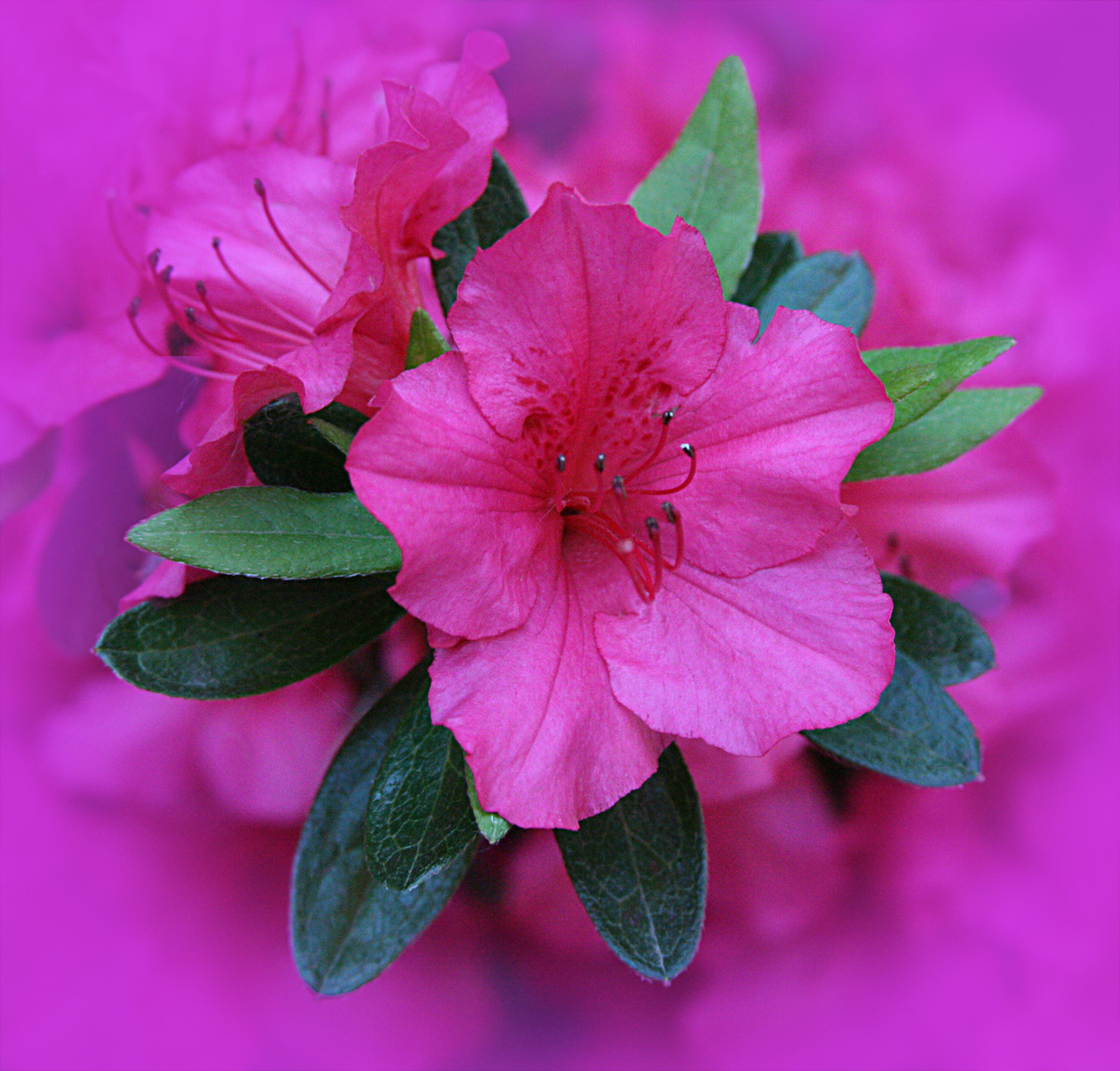
I used Color Efex Pro 4 to create a vignette. Then I used a layer mask to erase the part of the vignette that covered the edges of the green leaves.
All comments and critiques appreciated.
Comments
11 comments
Comment posted by SandyRichardsBrown on January 15, 2013 at 12:38 AM
very nice work! love the colours the central detail, and the use of the vignette.
Sandy
Registered on November 24, 2003, 3937 Posts, 12909 Comments
Comment posted by Pat Sampson on January 15, 2013 at 9:22 AM
Beautiful work Barb. Love the color complement and the vignette works really well to isolate the subject bloom, in turn vignetted by the leaves.
pat
Registered on May 19, 2007, 953 Posts, 15989 Comments
Comment posted by Michael Cothran on January 15, 2013 at 9:48 AM
Barb - I really like your creation. However, I do feel the azalea should be brightened a little, to help it stand out more.
In Color Efex 4, I would add a Dark/Lighten filter to what you already have, and play with the percentages. Darkening the edges and brightening the azalea would, IMO, would give the image more needed depth and separation.
Registered on December 5, 2012, 31 Posts, 730 Comments
Comment posted by Mike Ramy on January 15, 2013 at 10:42 AM
Barb,
This is a stunning image and nicely presented.
My first reaction, that it was just a bit too dark but, the more I look at it, the more minor that seems. It would be worth your time to see if Michael's suggestions might improve this sweet image. Well done.
Registered on June 16, 2012, 567 Posts, 2809 Comments
Comment posted by Barb Pflaum on January 15, 2013 at 8:40 PM
Thank you, everyone, for your comments and thank you, Michael, for your suggestion. Here is the image with the center lightened and the edges darkened.
Registered on January 14, 2009, 316 Posts, 2724 Comments
Comment posted by Rob Graham on January 15, 2013 at 11:42 PM
beautiful image, I like the repost with the lighter center
Registered on August 22, 2006, 842 Posts, 2824 Comments
Comment posted by Pat Sampson on January 16, 2013 at 8:34 AM
Good advice on the repost Barb. It is a stronger image.
pat
Registered on May 19, 2007, 953 Posts, 15989 Comments
Comment posted by Jim Sabiston on January 16, 2013 at 10:26 PM
Repost with adjustments really makes this pop!
Registered on April 7, 2007, 134 Posts, 443 Comments
Comment posted by Marc Ward on January 22, 2013 at 6:10 PM
Barb,
The repost gets my vote. I wouldn't mind seeing the vignette even darker. This really pops!
Registered on February 26, 2009, 304 Posts, 1365 Comments
Comment posted by Lucy VanSwearingen on January 25, 2013 at 9:20 PM
Lovely
Registered on May 23, 2009, 800 Posts, 2042 Comments
Comment posted by Howard Cheek on February 5, 2013 at 5:25 PM
Really like the 'Azaleas in Magenta Mist' theme, great job on the vignette effect.
Beautiful wok Barb!
Registered on July 24, 2008, 1201 Posts, 10758 Comments

Comments
11 commentsSandy
pat
In Color Efex 4, I would add a Dark/Lighten filter to what you already have, and play with the percentages. Darkening the edges and brightening the azalea would, IMO, would give the image more needed depth and separation.
This is a stunning image and nicely presented.
My first reaction, that it was just a bit too dark but, the more I look at it, the more minor that seems. It would be worth your time to see if Michael's suggestions might improve this sweet image. Well done.
pat
The repost gets my vote. I wouldn't mind seeing the vignette even darker. This really pops!
Beautiful wok Barb!