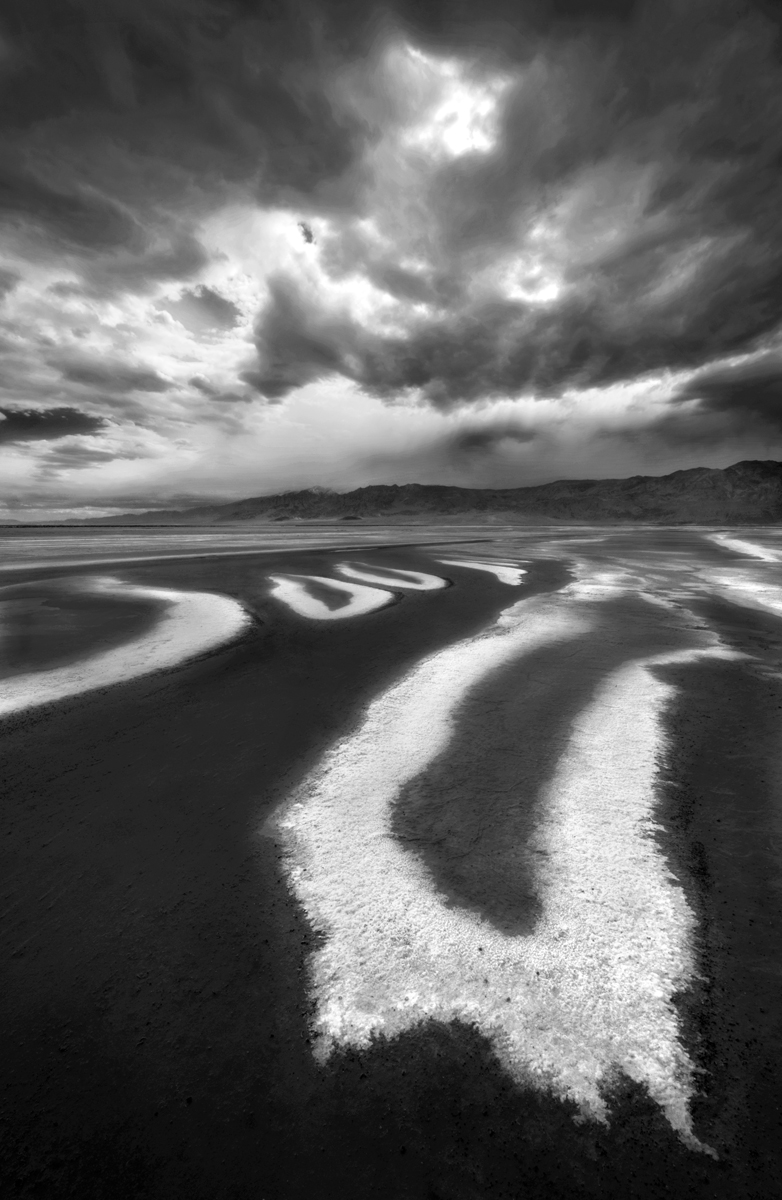
Here is my first attempt at a B&W conversion using PS. In the past, I used Lightroom. This an image from my recent SW trip. This image is from Death Valley NP while trekking on the dried up salt flats. I have several compositions from this location, but I liked this one for the unique shape in the foreground matched with the stormy sky

All comments are always welcome and always appreciated !
Nikon 3Ds, 14-24mm f2.8 lens, 1/200sec, f18, ISO200, single handheld image

Comments
16 commentsMichael
Floris, thanks for the feedback, I do have a few slightly different angles of this composition, but there is a bit of salt formation on the right side that leads your eye out of the scene, so I did stay tight on the right. Maybe I will do some cloning
Only thing that I can really nit at is the heavy posterization, especially in the clouds, although I'm seeing some in the foreground and mountain as well. I'd bet if you go back and check out your histogram, it's going to look pretty jagged. Maybe check out your original file and see if this is present in any way. If it's not, you may have over processed the image, possibly a layer blend mode or some such step. One thing that may help is editing the photo in 16 bit mode instead of 8.
Thanks for the input, I was waiting for someone to catch that
I have found that Tony Kuyper's luminosity masks are a great tool for adding drama to a black and white image. You might want to experiment with them if you have not given them a try for future conversions. I have a few shots from this location from my trip - we will have to compare (once I get around to processing mine!). I have really enjoyed your recent images.
Sarah, The highlights seem fine on my end, but who knows when it comes to viewing this image on different monitors. As for luminosity masks, I have been working with them now, they are of great value. Like you I like these types of images as well.
I think it might be able to handle a touch of sharpening to the clouds/sky background without ill effect...