Gallery: AvianPosted December 2, 201550 views5 comments
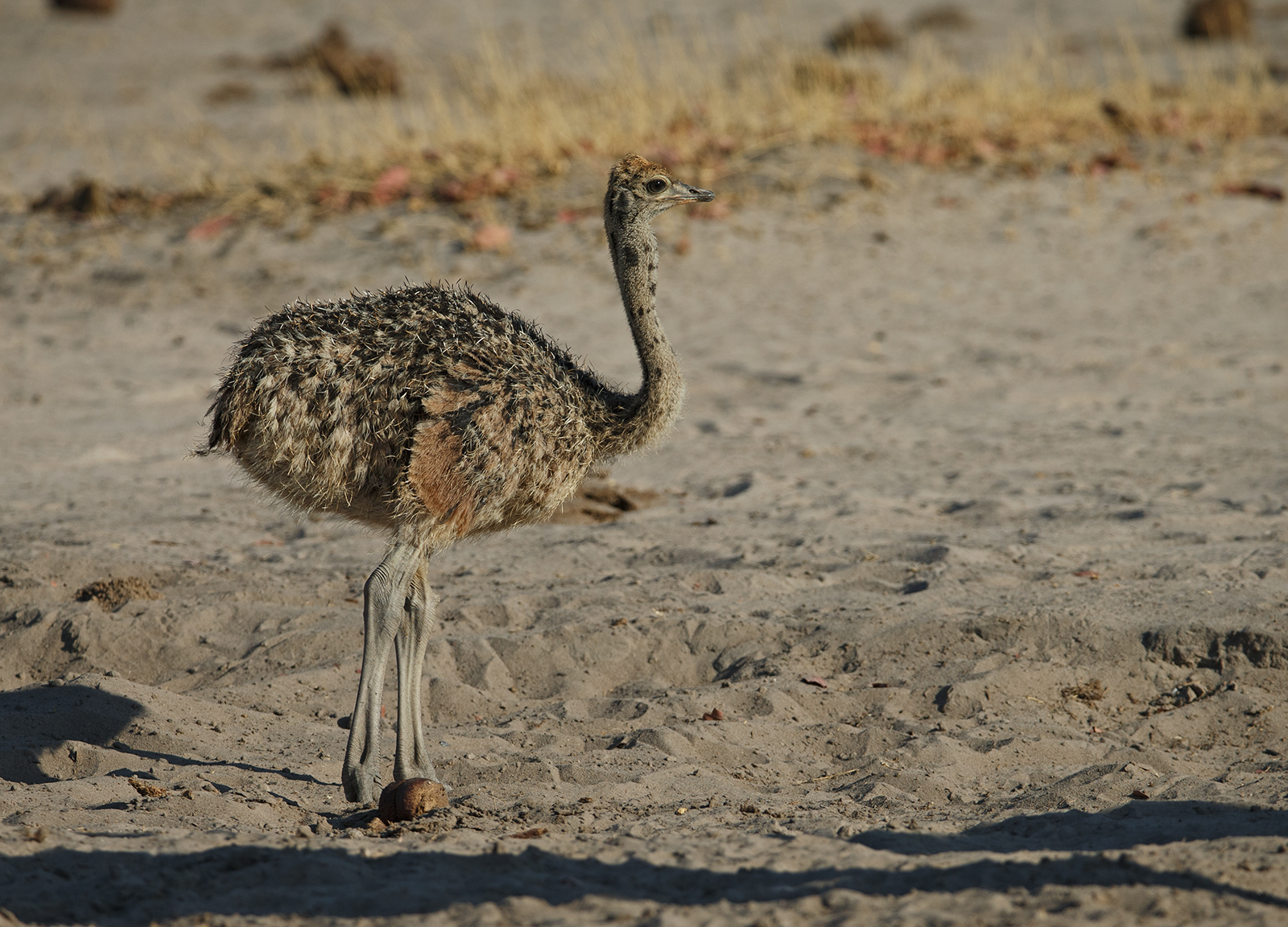
Taken at Ngweshla , Hwange National Park, Zimbabwe.
Wish I knew how to diminish the shadows at the bottom.
EOS 1DX
200-400 mm F4
F7.1
ISO 400
1/2000
Comments
5 comments
Comment posted by Cay-Uwe Kulzer on December 2, 2015 at 8:31 AM
Ken,
nice to see a photo of an young ostrich. I never saw one in the wild up to now and like with many youngsters they look cute.
To your question how to diminish the dark areas. That is done easiest in my opinion with Canon Digital Photo Profesional and if you are photographing with RAW. Open the file with DPP and select the RAW tab. There is a slider function called SHADOW. It is usually at 0. If you want to diminish then you move the slider to higher values, if you want to darken, you move it to lower values.
I have attached a photo with an example. The left site is as it comes from the camera ( all sliders at 0 usually ). The right image is with SHADOW at the top value. You see that the plumage of the bird shows more details.
Registered on January 27, 2004, 494 Posts, 4021 Comments
Comment posted by Scott Frye on December 2, 2015 at 8:56 AM
My first look at a young ostrich also -- called the family over to see the youngster
Registered on February 3, 2007, 387 Posts, 1136 Comments
Comment posted by Dennis Plank on December 2, 2015 at 4:22 PM
The shadows don't lok too bad, Ken, and I don't think you could lighten them up too much without them looking unnatural. A nice look at this youngster.
Registered on January 28, 2008, 1767 Posts, 23192 Comments
Comment posted by Ken Watkins on December 3, 2015 at 5:17 AM
Thanks for your comments and suggestions, unfortunately my version of DPP which is I thought the latest does not seem to have this screen?
Registered on December 15, 2010, 1537 Posts, 4877 Comments
Comment posted by Cay-Uwe Kulzer on December 3, 2015 at 5:49 AM
Ken,
that is strange what you are saying about your DPP since this is the version I have got with my new 7D MKII and it is the same version as the newest on Canon's Website. My DPP version is: 3.14.40.0
It maybe something particular to your 1Dx ( what I don't really can imagine ) because I get the screen / option even for my old 10D RAW files, as well the 30D and 7DMKII.
Registered on January 27, 2004, 494 Posts, 4021 Comments

Comments
5 commentsnice to see a photo of an young ostrich. I never saw one in the wild up to now and like with many youngsters they look cute.
To your question how to diminish the dark areas. That is done easiest in my opinion with Canon Digital Photo Profesional and if you are photographing with RAW. Open the file with DPP and select the RAW tab. There is a slider function called SHADOW. It is usually at 0. If you want to diminish then you move the slider to higher values, if you want to darken, you move it to lower values.
I have attached a photo with an example. The left site is as it comes from the camera ( all sliders at 0 usually ). The right image is with SHADOW at the top value. You see that the plumage of the bird shows more details.
that is strange what you are saying about your DPP since this is the version I have got with my new 7D MKII and it is the same version as the newest on Canon's Website. My DPP version is: 3.14.40.0
It maybe something particular to your 1Dx ( what I don't really can imagine ) because I get the screen / option even for my old 10D RAW files, as well the 30D and 7DMKII.