Thanks for all the help on my previous posts. For a change, I don't have any cropping questions!
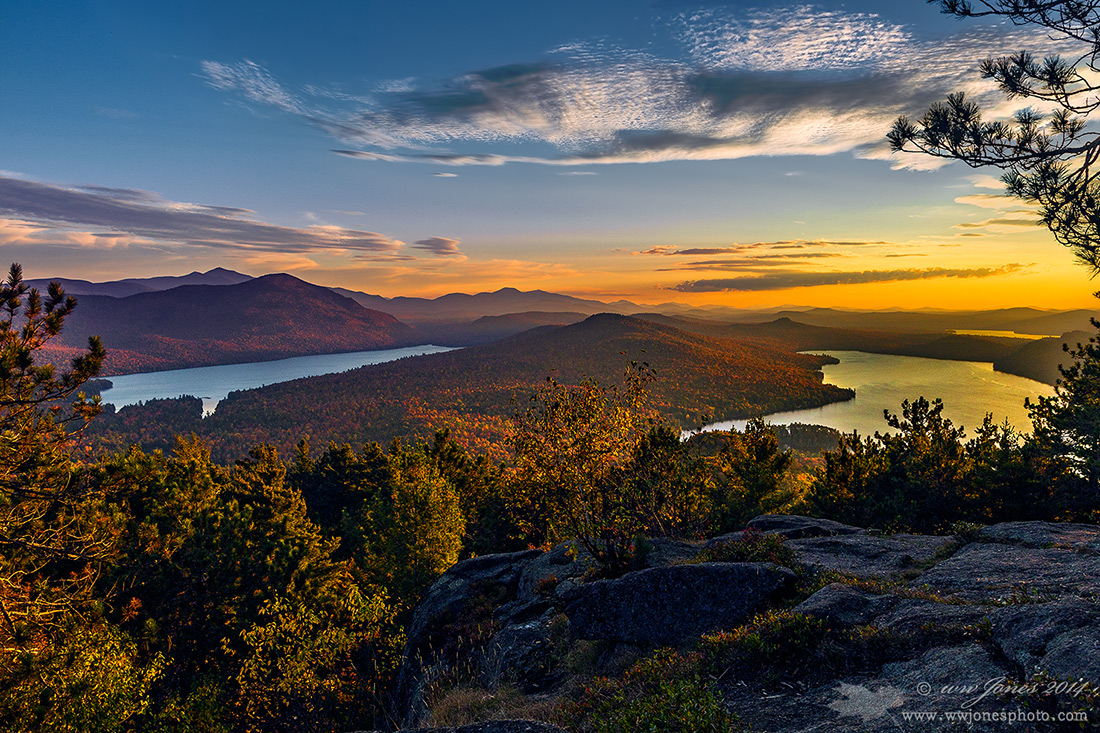
After exploring the summit of this little mountain, I found myself running from spot to spot on the rocks, trying to catch the moving clouds while shooting around trees. The clouds were blowing by so fast, I decided to grab a few horizontal shots of this one, rather than do my usual routine of shooting multiple vertical frames for stitching. It turned out to be a good decision, because this nice cloud was over my head by the time I set up my pano bracket.
I tried cloning out the pine branches on the right side of this shot, but the clouds ran into the right side of the frame, looking like I
only shot half of the scene, so I decided to post the "real" view with the pine branches. (As you can see, there was no room to move to the left to see more of the cloud.)
Canon 5D3
Canon 24-105mm.; Circ. Pol.
1/125 sec. @ f/10; ISO 320
NOTE: OVER-SATURATION PROBLEM SOLVED. It was just a blunder I made in saving images for the Web. When I used the "Save for Web" method in Photoshop to save JPEGs, the "Embed Color Profile" box was not checked. See my recent post in the Digital Imaging Forum. 
Comments
14 comments@ Mark: I agree about the saturation. Please look at the screen shot attached to this comment, and tell me if you see the same difference that I do. This is what has plagued me for a couple of years. Last week I referred to it as the "supersaturation cyan blues" but it's not just cyan that goes crazy when I submit images to NPN. After your comment, I decided to see if other people see what I see on my monitor.
If you see the difference, I'll bring this up in the discussion forums.
---> NOTE: OVER-SATURATION PROBLEM SOLVED. It was just a blunder I made in saving images for the Web. When I used the "Save for Web" method in Photoshop to save JPEGs, the "Embed Color Profile" box was not checked. See my recent post in the Digital Imaging Forum.
I do see a slight shift to cyan and heavier saturation in the Firefox version vs Photoshop and I see the same shift/saturation in the posted version. It doesn't really bother me that much. I send an image to friends and family every week. None of them have calibrated monitors, most have very inexpensive monitors and use a variety of different browsers including various versions of IE. I guess where I'm going with this is I don't expect the colors to look the same to those folks as they do to me and consequently I'm not real concerned with absolute color accuracy. For printing I am concerned with accuracy but that's ok, I have complete control of the process - well at least within the bounds of the current printer technology.
Beautiful image.
pat
RE: Discussion about saturation changing when I send photos to the Internet. Hey, it happens, so let's not side-track this thread with that discussion here. PLEASE IGNORE MY SCREEN SHOT COMPARISON OF THIS IMAGE BEFORE/AFTER SUBMITTING TO THE WEB. (see my comment to Pat, below.)
@ Mark: Please ignore my note to you about deleting our discussion about the screen shot I posted in reply to your comment about saturation in this image. While I was out, looking at it on an iPad and an Android phone, Pat Sampson commented on that screen shot, too, so it's too late to delete the distracting side-discussion.
@ Pat: Thanks for putting this technical internet/image saturation stuff in perspective. It does bother me sometimes, especially when I post and delete images three times to get rid of electric blue skies, BUT IT'S NOT THAT BIG A DEAL. Everyone sees internet images differently on different hardware and platforms; we have no control of this, so why worry about it. (I may bring it up in a discussion forum sometime when I have more time, but not now.)
NOTE: OVER-SATURATION PROBLEM SOLVED. It was just a blunder I made in saving images for the Web. When I used the "Save for Web" method in Photoshop to save JPEGs, the "Embed Color Profile" box was not checked. See my recent post in the Digital Imaging Forum.
Nick Bristol
Lone Rock, WI
Awesome shot