Gallery: WildlifePosted February 4, 2014164 views4 comments
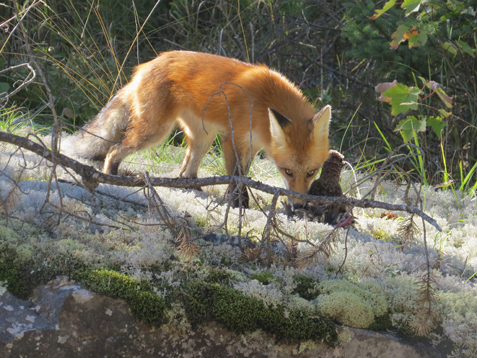
Cannon Power shot SX50HS, F stop 5.6, Aperture F/5.5 ISO 200
Comments
4 comments
Comment posted by jackie hartleben on February 4, 2014 at 10:46 PM
How do I re-size a picture this picture is 4000 wide 30000 high in pixels to get a goo large picture, because it much better larger.
Registered on January 20, 2014, 8 Posts, 8 Comments
Comment posted by Ken Watkins on February 5, 2014 at 1:55 AM
Hi Jackie,
In order to answer your question we need to know what programme you are using for processing your images?
Registered on December 15, 2010, 1537 Posts, 4877 Comments
Comment posted by jackie hartleben on February 5, 2014 at 9:15 AM
Photoshop CS4
Registered on January 20, 2014, 8 Posts, 8 Comments
Comment posted by Ken Watkins on February 6, 2014 at 3:40 AM
Jackie,
That is probably the only version of Photoshop I never owned
I am however sure it will be similar.
Once you have finished the processing save the file preferably in 16 bit and TIFF or PSD.
1)Then go to "image" in the menu which hopefully is at the top of the screen.
Choose mode and change to 8 bit.
2)From the same menu choose " Image Size" and choose in this case the width and set to the width specified on this site (I cannot remember what is is but think it is 1200). I just use the default settings.
3) Next from the top of the screen menu choose "File" from the drop down menu choose "Save for Web"
When the image appears make sure the following boxes are ticked
Optimize
Embed Colour Profile
Convert to sRGB
Then adjust the (Quality slider %) to get a file size within the 500 k limit of this site , then save.
It might be a good idea to check the sharpness and if necessary adjust, then repeat 3 as sharpening will generally increase the file size.
I hope this works, but remember others may have totally different methods, I just find this the simplest
Registered on December 15, 2010, 1537 Posts, 4877 Comments

Comments
4 commentsIn order to answer your question we need to know what programme you are using for processing your images?
That is probably the only version of Photoshop I never owned
I am however sure it will be similar.
Once you have finished the processing save the file preferably in 16 bit and TIFF or PSD.
1)Then go to "image" in the menu which hopefully is at the top of the screen.
Choose mode and change to 8 bit.
2)From the same menu choose " Image Size" and choose in this case the width and set to the width specified on this site (I cannot remember what is is but think it is 1200). I just use the default settings.
3) Next from the top of the screen menu choose "File" from the drop down menu choose "Save for Web"
When the image appears make sure the following boxes are ticked
Optimize
Embed Colour Profile
Convert to sRGB
Then adjust the (Quality slider %) to get a file size within the 500 k limit of this site , then save.
It might be a good idea to check the sharpness and if necessary adjust, then repeat 3 as sharpening will generally increase the file size.
I hope this works, but remember others may have totally different methods, I just find this the simplest