Gallery: LandscapePosted May 17, 201292 views3 comments
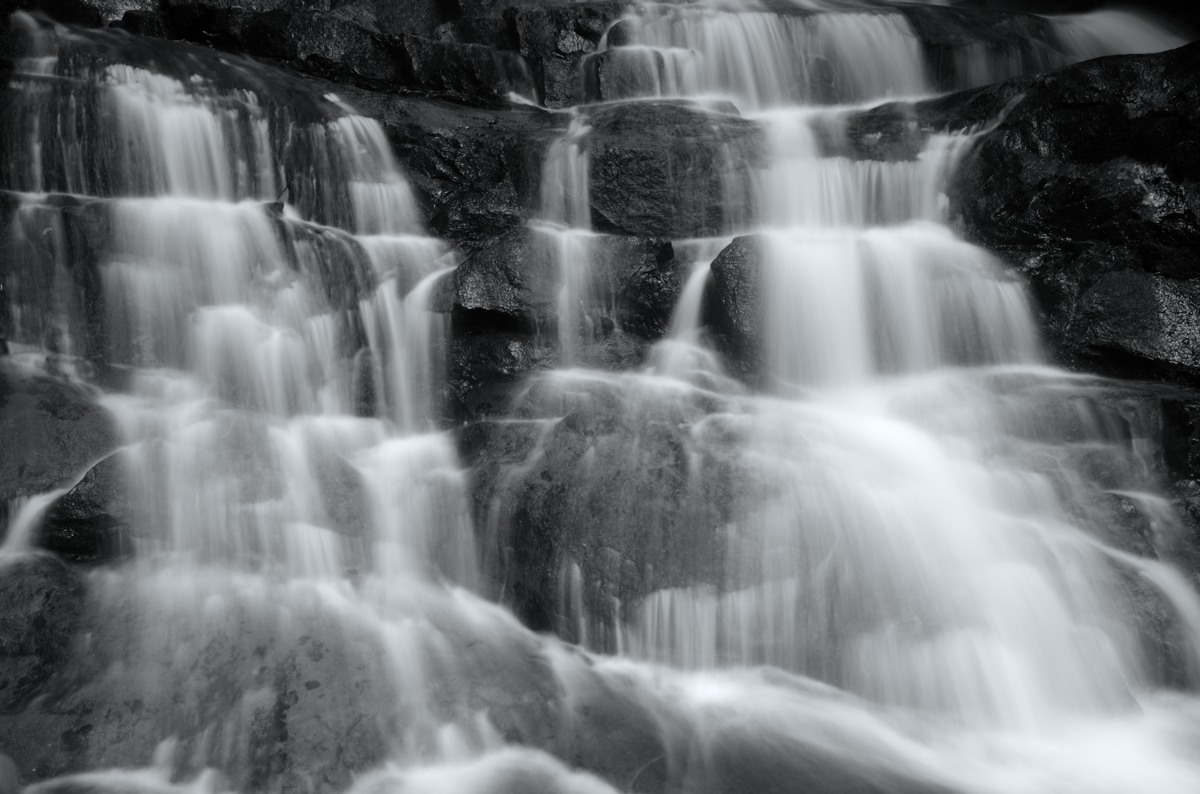
I don't do B&W much but thought this would lend itself to trying. All I did was lower the saturation to take out the color. Any other suggestions will be welcomed.
D7000, 20mm, f/22, 1/2.5 s, ISO 100
Comments
3 comments
Comment posted by Eva McDermott on May 17, 2012 at 9:46 PM
I like this Walt. Have you tried Silver Efex Pro? It has the options to give more punch to B&W which match film B&W which I used to do extensively.
Registered on January 4, 2009, 1015 Posts, 13229 Comments
Comment posted by Scott Smorra on May 18, 2012 at 12:28 AM
Lightroom 4 has some pretty impressive b/w processing options. Decreasing saturation is one option for b/w, but you can definitely do better with Lightroom 4s b/w panel or photoshop's b/w layer. I like the comp and I'm curious to see what you can do with this image.
Registered on November 2, 2009, 161 Posts, 2143 Comments
Comment posted by Chris Chamberlain on May 20, 2012 at 9:12 PM
This looks like a great cascade! Exposure looks pretty good, maybe a few borderline hot spots. It looks soft to me. I don't know if f/22 has something to do with that, or the 2.5 sec shutter speed. If it were mine, I would try and sharpen it some more. Also I would use dodging and burning in all three areas, highlites, midtones and shadows to try and create more tonal/textural contrast.
Chris
Registered on March 13, 2007, 500 Posts, 8365 Comments

Comments
3 commentsChris