Gallery: LandscapePosted July 19, 201195 views8 comments
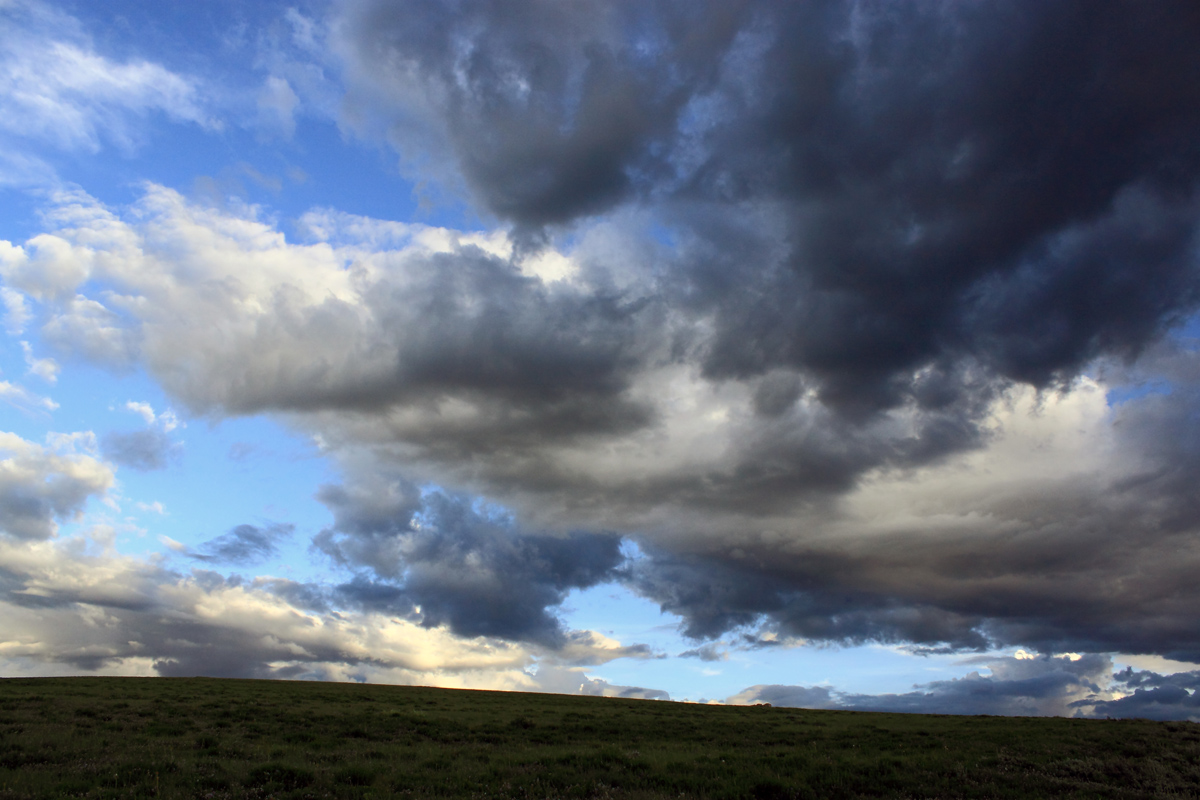
Taken after sundown last night. Looking at my settings, I see I forgot to change out of my "wild flower mode" but I like this image anyway. Thanks for looking.
Canon T1i
1/640sec f/5.6 18mm
Comments
8 comments
Comment posted by Stephen Weaver on July 19, 2011 at 9:17 PM
Great clouds Nancy
You might try to lighten up the land a bit to show a bit more detail. If you use Light Room you can easily add a bit of "fill light" !
Registered on November 1, 2003, 226 Posts, 623 Comments
Comment posted by John Williams on July 19, 2011 at 11:34 PM
The sky is fantastic Nancy. It so overshadows the land that I'd be tempted just to crop the land out of the picture.
Registered on September 6, 2007, 221 Posts, 5985 Comments
Comment posted by Mark Seaver on July 20, 2011 at 11:34 AM
The sky is terrific. The two previous suggestions are both good. Each would result in very different pictures. I agree with Steve about wanting more light on the land. However, making his suggested change in Lightroom would also lighten the dark clouds, which might not be good for the sky. If you can, I'd suggest selecting the land and lightening only it. In LR, you could try the gradient tool. If you're shooting JPGs, I'm not sure there's help for the land, go with John's suggestion.
Registered on January 23, 2011, 1103 Posts, 17270 Comments
Comment posted by Stan Rose on July 20, 2011 at 1:26 PM
Clouds are nice. I like clouds.
About the land, if you do lighten it, i wouldnt do too much--i think it looks good dark, since the clouds are 'overshadowing' it
Registered on September 15, 2005, 836 Posts, 17099 Comments
Comment posted by Nancy Lea Sandy on July 20, 2011 at 4:18 PM
OK, a lighter landmass. I tried to be subtle with the change.
Registered on January 24, 2011, 576 Posts, 6942 Comments
Comment posted by Lon Overacker on July 20, 2011 at 7:57 PM
Nancy,
Great sky! Don't know what difference, if any, the "wildflower" mode did, but this looks great to me. Actually, the repost is wonderful! I think you nailed the lightness in the land. It was a situation of either not dark enough, or not light enough. either a silhouette, or not. And I think you got it right.
Great story that sky is telling too.
Lon
Registered on November 24, 2006, 521 Posts, 19147 Comments
Comment posted by Nicolaus Wegner on July 20, 2011 at 9:25 PM
Very nice clouds Nancy. And the repost is much better. The lighter foreground helps hold those clouds down.
Do you shoot using only automatic settings? You might have better control with manual adjustments...
Registered on February 21, 2010, 133 Posts, 1509 Comments
Comment posted by Stan Rose on July 22, 2011 at 3:42 PM
repost looks good to me, Nancy!
Registered on September 15, 2005, 836 Posts, 17099 Comments

Comments
8 commentsYou might try to lighten up the land a bit to show a bit more detail. If you use Light Room you can easily add a bit of "fill light" !
About the land, if you do lighten it, i wouldnt do too much--i think it looks good dark, since the clouds are 'overshadowing' it
Great sky! Don't know what difference, if any, the "wildflower" mode did, but this looks great to me. Actually, the repost is wonderful! I think you nailed the lightness in the land. It was a situation of either not dark enough, or not light enough. either a silhouette, or not. And I think you got it right.
Great story that sky is telling too.
Lon
Do you shoot using only automatic settings? You might have better control with manual adjustments...