Morning Tu(fa) Remember
by Mark Shephard
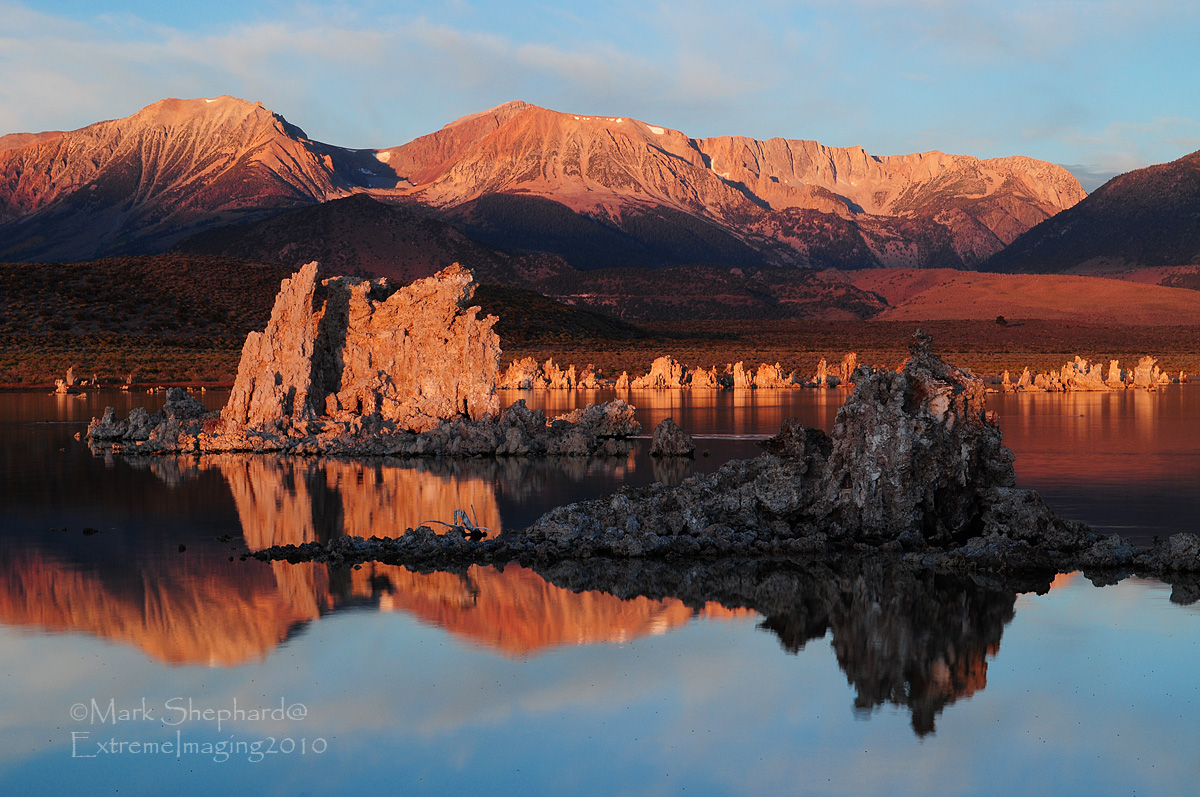
I thought the lighting on my first Mono Lake post was truely exceptional. Boy was I in for a surprise. As the sun slowly rose behind me and the suns rays started to move down the mountains in the distance it really started making the reds pop. I'm still learning the ins and outs of Photoshop and the only thing I wished I could changed about this image is to take the brightness down just a shade or two on the tufa tower thats in the full sunlight. It wouldn't need much but one day we'll get there. It was an amazing sight to watch that sunrise on this particular morning.Please check out the larger Image.
Thanks for taking the time to stop by for a look.
As always your thoughts and comments are welcome and appreciated.
Nikon D5000
f/18 @ 1 sec
ISO-200 +0.3 Exposure Bias
Circular Polarizer
Manfrotto Tripod and Ballhead
To see more images please visit www.pbase.com/extremeimaging

Comments
7 commentsDave Thomas, Leesburg, Virginia
I use Elements 6 myself which is the " dumbded" down version of photoshop, and you can use the Darken highlight function to darken down the bright areas only. You can also loop the one area in the photo you want to change to just affect that area. On my monitor though the mountains in the background and the tufa towers look fine and have plenty of detail and the brightness looks natural, however it is a matter of personal taste, hence the advice hope it was helpful. Oh there is a plethora of guidebooks out there for photoshop and I'm, sure helpful hints on line to guide you through some of the editing tricks and pitfalls.
Paul