Nature Photographers Network
This is the preserved archive of the original Nature Photographers Network. The community continues at naturephotographers.network.
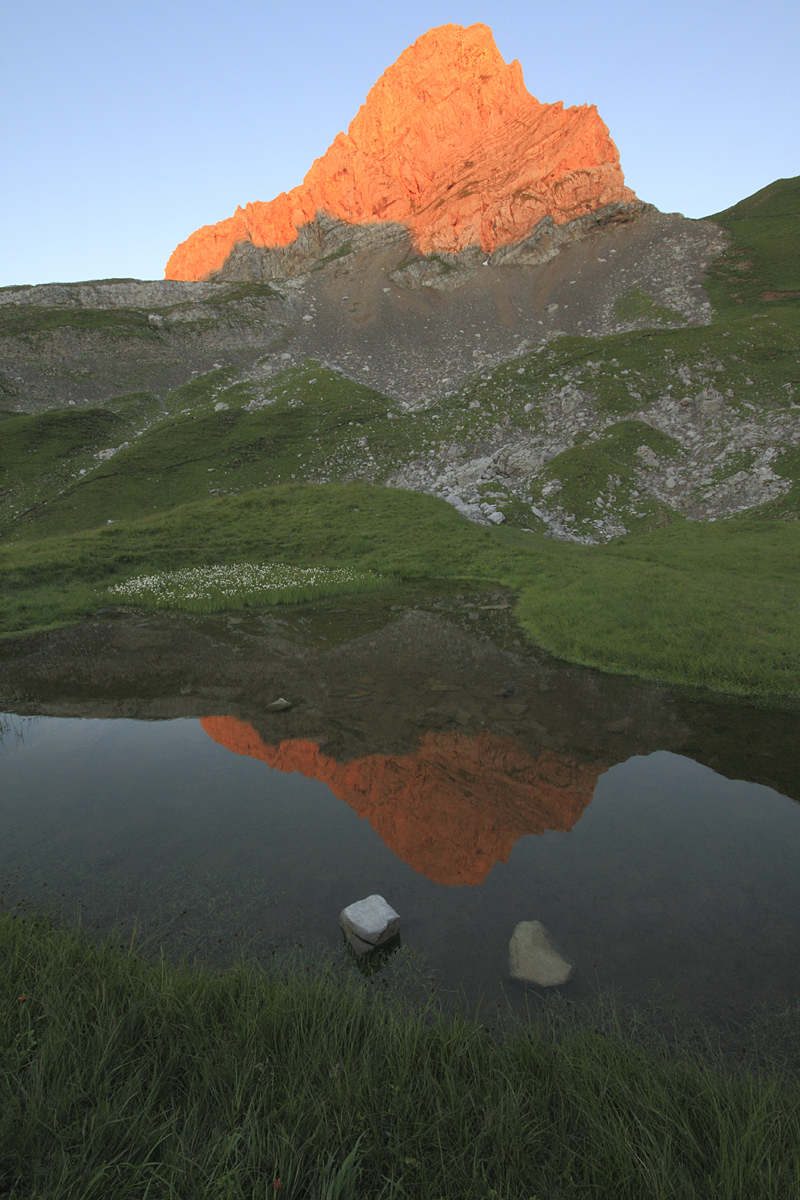
Burning peak
‹ PreviousLandscape GalleryNext ›

Burning peak

by David Grimardias

Gallery: LandscapePosted August 3, 2010159 views7 comments
Hi everyone,

Here is a picture I took last week-end in Alps moutains.
It is the "Pointe Blanche" ("White Peak"... I promise it's its name :biggrin: ).

Canon Eos 7D + Sigma 10-20 f/4-5.6 EX
ISO 640, f/22, 1/10sec.

Hope you'll enjoy it :)
All comments and critics are welcome.

Comments

7 comments
Comment posted by Luke Ormand on August 3, 2010 at 11:59 AM
I like most everything about this image except for the two rocks in the stream which to me are a major distraction.

- Luke
Registered on February 4, 2009, 1093 Posts, 7035 Comments
Comment posted by Michael J Greene, on August 3, 2010 at 1:31 PM
Hi David,

This is a wonderfully fluid image. A very peaceful and serene scene. I am neutral on the rocks; I don't think I even would have noticed them had I not read the last person's comment. Anyways, it would be easy to clone them out if you want to.

One thing I do think this image needs is a contrast boost in the mid tones. The greens look pretty flat on my monitor. The scenery is there; it just hasn't reached its full potential yet... :smile:

Michael
Registered on June 18, 2009, 86 Posts, 2317 Comments
Comment posted by Taylor Reed on August 3, 2010 at 4:52 PM
I agree with Michael, great scene but it does look flat.
Registered on February 18, 2010, 26 Posts, 556 Comments
Comment posted by Jay Nielsen on August 3, 2010 at 7:05 PM
Nice reflection and very nice patterns in the foreground. Just add a little more processing to bring out what the foreground has to offer and you will have a great image.
Registered on October 6, 2008, 137 Posts, 720 Comments
Comment posted by Mark Metternich on August 4, 2010 at 1:58 AM
Would make Tim Fitzharris proud! :smile:
Registered on June 19, 2009, 276 Posts, 6240 Comments
Comment posted by David Grimardias on August 4, 2010 at 4:17 AM
Thank you everyone...
I am really not good about processing... just a little bit with DPP...
Please, could somebody explain to me how I could add some processing with Phoyoshop on this one to improve the quality?
Thank you :smile:
Registered on June 14, 2009, 31 Posts, 80 Comments
Comment posted by Kent Mearig on August 5, 2010 at 6:49 PM
The contrast adjustment you need would be best made with curves. Increasing brightness in the top half of the curve and decreasing brightness in the bottom half of the curve will provide added separation in the mid-tones. Using layer masks will allow you to provide different levels of curves adjustment to different portions of the image.
Registered on September 4, 2006, 237 Posts, 4748 Comments