Large Image with Expansion Button
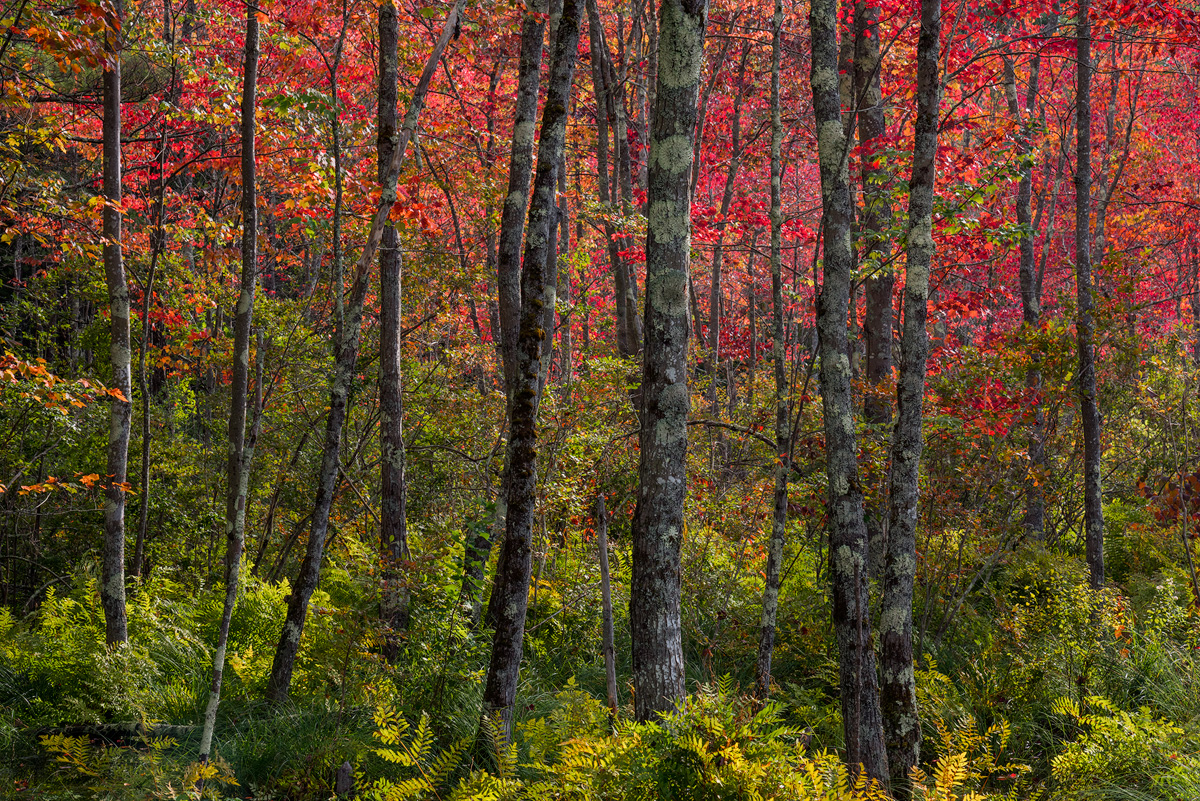
This was the first real sign of autumn that I saw in NH this year that caught my eye. The marsh maples were on fire when back-lit, but the bands of green shrubs and ferns hadn't turned at all. The contrasting colors and dappled light worked for me. The red light filtered down to the trunks, as if a filter was over the sun. Not sure if that comes through in the image, but was a lucky find. I thought this would be a good, highly detailed image to try out some web sharpening adjustments to see if folks notice any difference. For this one using TK's web sharpening, I used 40% for the general opacity in the Web Sharpening Box, then reduced Sharpening 1 to 60% and Sharpening 2 to 50% within the Layer Actions. End result should be a bit less sharpened.
D810, 24-120 @ 78mm, f16, 1/15 sec., polarizing filter
I did experiment with the Orton Filter that was near the Sharpen button in TK's action, just to see what it did. I haven't tried it on any images thus far, though I realize it is quite popular in landscape images these days. Not sure if a trend or here to stay. I thought the lighting might suite the use of the filter. I posted the Image
http://www.naturephotographers.net/imagecritique/ic.cgi?a=vp&pr=247145&CGISESSID=85c8719b0a46c42dff3072a574ad4a19&u=7889&title_action= in the Photo Art gallery if you want to compare.

Comments
13 commentsI gotta say this was a banner year for you and fall color! This beautiful! Impressed that this came out do well with the dappled sunlight - you did well to tame the highlights throughout - although one my suggestions would be to burn down the brighter ferns at the bottom. I do like Dan's suggestion of a bottom crop; the resulting pano format seems like it would work well with this scene.
I also like the bands of color, and being tied together with all the tree trunks. Wonderful image.
Also, thought I would let you know that I think the sharpening looks great! Leaf scenes are the worst and often we tend to compensate with sharpening when many leaves are soft due to wind, dof, etc. (I'm totally guilty of this..) So I think you've found a nice sharpening balance here.
Oh, and the PA Orton version is certainly artsy and looks good. Have you tried the Orton(or TK Glow) effects at a low opacity? I've used in the past to give an image a little bump. Even a low opacity on the Orton layer of like 10% (give or take to taste) can add a nice touch to an image.
Lon
Doug - I think the crop idea would work - my only concern wa that it might leave the image as 1/2 greens, 1/2 reds - a little too static? Though a balance might be fine for this type of shot. Thanks.
Ed
I have been using a version of of glow effects on virtually all of my images over the last year or so. I learned it from Mark Metternich. Although I think it is some alternate method of the one Marc Adamus uses or used. I apply it at a very low opacity of between 10 and 20 percent depending on the image.