Snipe Hunt w/ Repost
by Jim DeWitt
Canon 1D-X, 500mm f4 x 1.4 TC, handheld from truck window
f5.6, 1/640, ISO1000
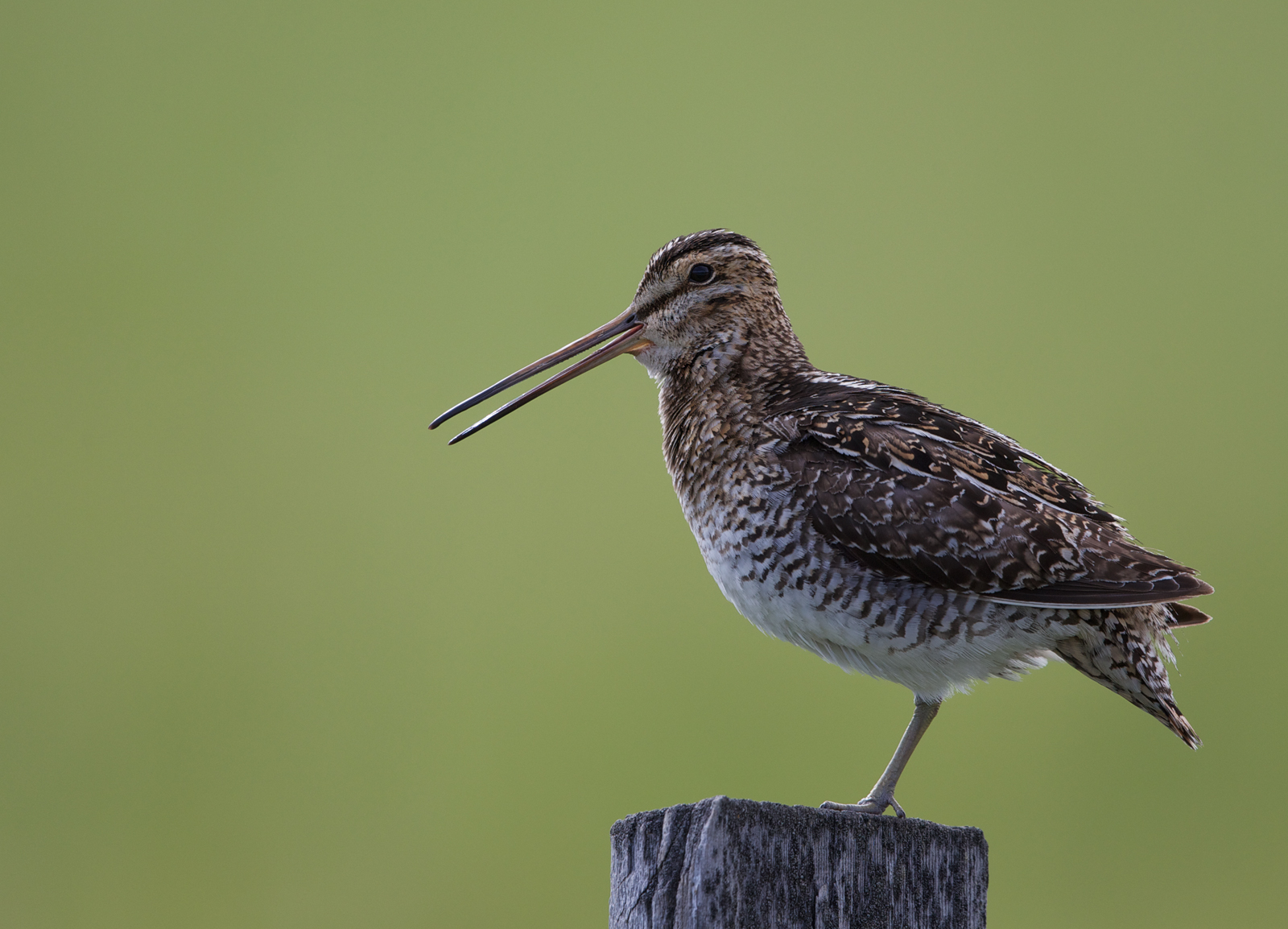
The classic pose, along Farm to Market Road, Valley County, Idaho.
80% of full frame. Slight sharpening to the bird.
C & C, please. Thanks for looking.

Comments
17 commentsI like the pose and composition of your snipe photo. Looks dark on my monitor--a slight brightening up of the plumage and eye leaving the bill as is would be my only suggestion. Other than that, I like what you've done here........................Jim
Let me know what you think.
Richard Ditch offered this advice on one of my posts and it seems to work:
"I agree about the brightness of the BG. Try this - select the starling, invert the selection to get everything else, and with the inverted selection active add a new adjustment layer. It doesn't matter which type as you aren't going to make any adjustments. Just set the blend mode for the new layer to Multiply and that will darken everything but the starling. Then pull down the intensity to about 50%."
Or in this case it might be easier to do a hue/saturation layer and darken the green background.
I like the brighter presentation of the snipe in the repost, and I don't mind the brightness of the background. But it could go darker to make the lightened snipe stand out a little more.
The repost is much better. I see your point about the difference between what you saw and what you posted. But I think the details in your repost are much better and that is a good reason to brighten the scene. While our eyes can spot details even in a darker scene, some of it is lost when it comes through the camera which has a lower dynamic range and needs some post-processing to retrieve it. Also second others' suggestion on darkening the background. A fine image, nonetheless.