
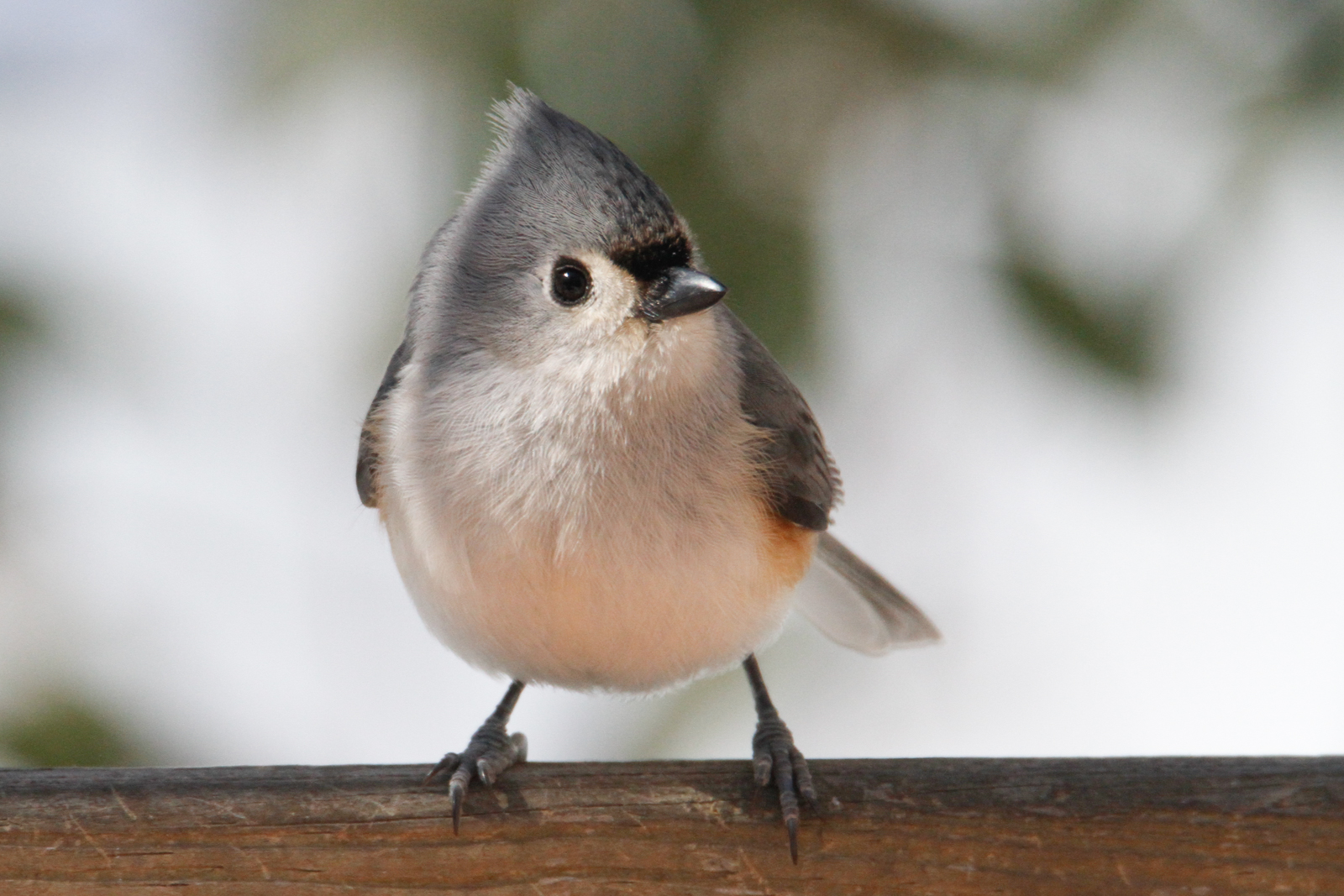
This Titmouse is the last of this years winters back yard birds, I cropped the photograph around 20% and did some light level adjustment in Lightroom.
Camera Model Canon EOS 7D , Shooting Date/Time 03/22/15 11:15:09
Shooting Mode Shutter-Priority AE, Tv(Shutter Speed) 1/1000
Av(Aperture Value) 14, Metering Mode Evaluative Metering
ISO Speed 1250, Auto ISO Speed OFF
Lens TAMRON SP 150-600mm F/5-6.3 Di VC USD A011
Focal Length 428.0mm, Image Size 5184x3456
AF Mode AI Servo AF, Tracking sensitivity -1
Thank you for stopping by
Peter
Comments
4 commentsNice one Peter! I like the pose you caught the bird in, as well as the nice colors. Maybe just a slight more detail in the underside of the bird. Thanks for sharing.
Nice eye contact and a cute pose, Peter. You list the aperture as f14, which surprises me a bit given that the dof seems very shallow. To my eye, it looks as if the point of focus were the breast, just under the chin and the feet and bill are both just a bit soft, which really seems odd for these settings. You might want to run a round of sharpening on the bird to perk it up a little.
I think you could also rotate the image clockwise maybe half a degree or so as the rail doesn't seem quite level to my engineer's mind. The easiest way, if you're using photoshop is to select the ruler tool (it's in with the eyedropper of all crazy places) and draw a line along the top of the rail. If you then go to <image><image rotation><arbitrary> you'll find the correct amount of rotation all filled in for you-it's a neat trick that someone pointed out a while back.
Great shot! I like the shadow and light on the bird, especially the thin line of light down his left side.
I agree with Dennis about the rotation to level the rail. I have another, possibly easier shortcut for leveling in Photoshop. Select the Crop tool and hold Command (Mac) or Control (Windows) and click and drag to draw a line on the image following the part of the image that you want to level. When you release the mouse, you'll have a crop window rotated to the proper angle, and then you can tweak the crop the same as always, and hit Enter to apply the rotated crop.
Hi
Thank you John, Dennis and Craig, for sharing you comments. I added some detail and rotated the photo clockwize. At the time I shot this photograph the Titmouse was about 10 ft away and the lens was new to me.(Still working out the kinks)
Peter