
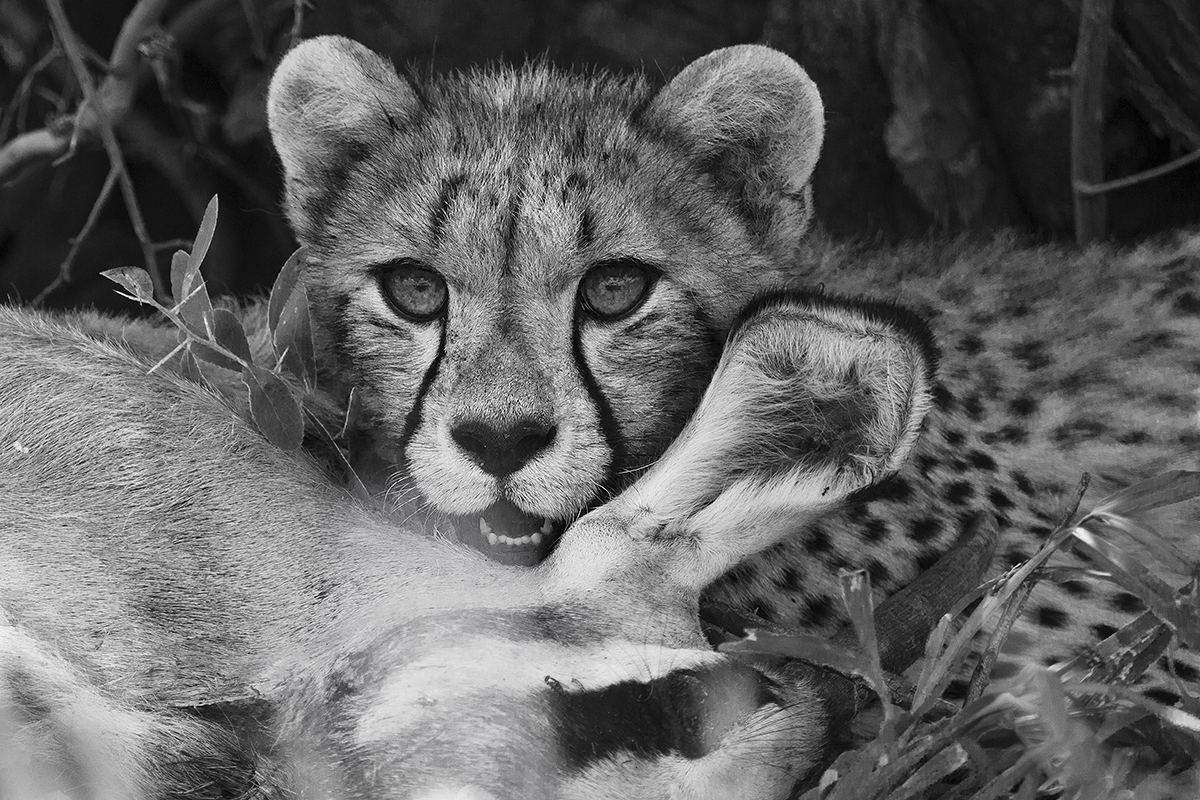
On a generally slow day we were lucky to find a cheetah mother and cubs with a gemsbok kill under a bush. This cub striked a pose that I liked, framed by the gemsbok neck and ear. I tried bw conversion this time.
Any comments or critiques is greatly appreciated.
Piper Pan, Central Kalahari, Botswana
Canon 1D Mark IV
EF 100-400 f/4-5.6L IS USM @ 400
Shutter Speed: 1/1250 Sec.
Aperture: f/5.6
ISO: 800
Metering Mode: Evaluative Metering
Exposure Compensation: 0
Comments
6 commentsHi Johan,
I really like the intensity in the eyes of the Cheetah cub and the B&W works well with the subject matter. The OOF area that leads from the gemsboks cheek to the cubs lip and nose is very distracting however.
John,
Glad to see someone visiting this marvelous park.
As often occurs the vegetation is a little distracting, but nothing can really distract from something as beautiful as a Cheetah cub!
Well, I guess I can't disagree that the OOF zone that was mentioned is a trifle bothersome, but in my opinion the gorgeous character and quality of those young cheetah eyes trumps any and all minor distractions! Beautiful image here, Johan!
Love the Cheetah cub n it's expressions!
I somehow feel that it could be given a better cut, especially on the bottom side.
Jagdeep Rajput
Thanks for your comments. I definately agree about the oof area, but I am not sure what to do about it. Any ideas on how to limit the effect?
Hi Johan,
I'm in agreement that the OOF zone (along with its contrast reduction on the subjects) hampers the image significantly (otherwise its really excellent). But - on the positive side - with careful processing you could completely eliminate the problem. In this case the first step would be a selective contrast INCREASE in the region of overlap with the OOF zone. You may have to do some selective exposure adjustments in these areas as well. The key would be carefully controlling (including feathering) and blending those areas where you have adjusted the contrast and picking the exact right "pivot point" on your contrast adjustment (using a curves adjustment). Note that this kind of control is really only achievable using Photoshop and layer masking (it would be almost impossible to do this effectively in Lightroom).
I took the liberty of snagging your large version (hope you don't mind) and spent about 30 seconds making the kind of adjustments I'm referring to. Note that this is a REAL quick and dirty example - if I spent a little more time on it (and worked more on the dark bands on the cheek region of the gemsbok) the negative impact of the OOF objects could be completely removed.
Of course, there is an ethical component to this kind of adjustment (too much manipulation of the original image?), but that's up to the individual photographer to decide on.
Cheers...
Brad