Rocky King
by Richard Sandor
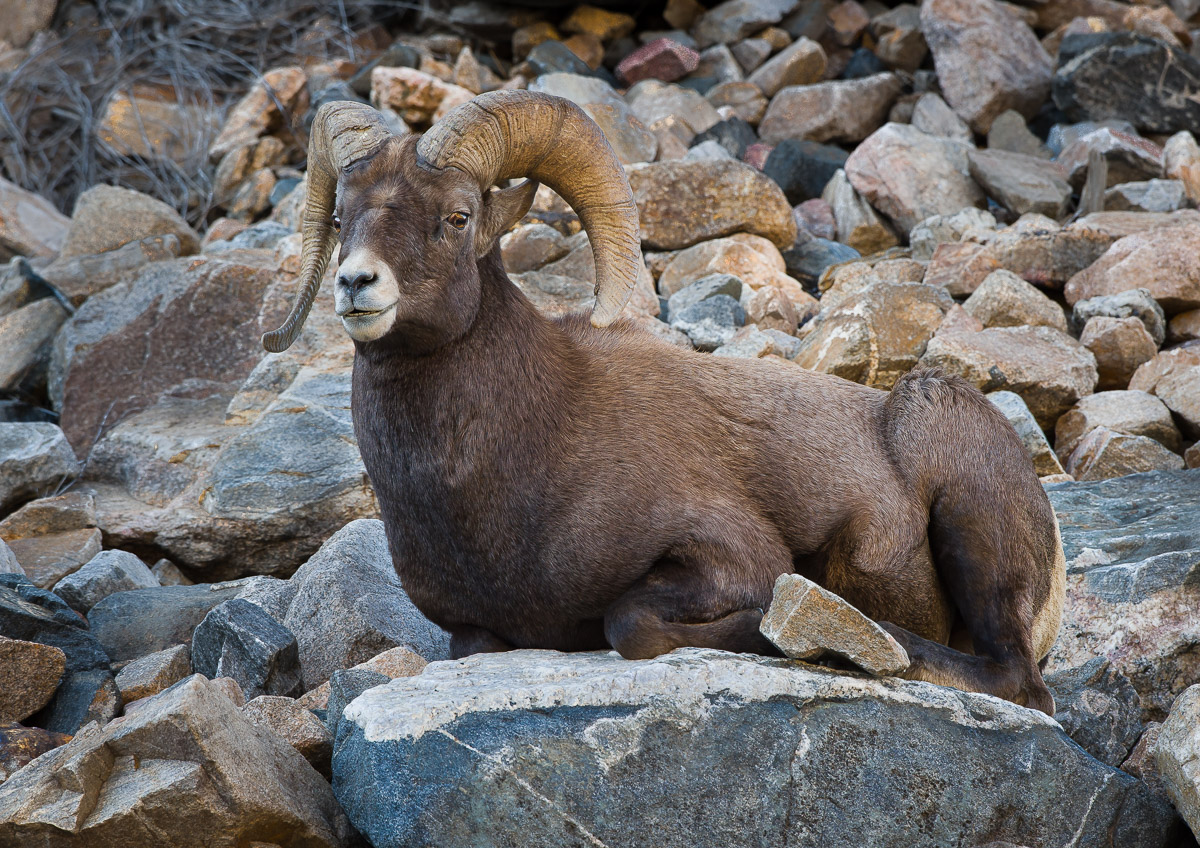
Here's a full body portrait of a bighorn ram taken about 45 minutes west of downtown Denver along I-70. Initially, the ram was mixed in among several ewes. When it decided to lie down on this rocky perch, I took this photo. Processed in LR and CC2014 mainly to tone down some of the brighter background rocks.
Taken with a D4s and 500 mm lens on tripod at 1/160 (tripod VR on), f/8 ISO 1000 and -1/3ev. C&C welcome. Richard

Comments
7 commentsThis is great!
The pose is perfect and the detail amazing
NOTE to others (so I don't look like a negative goon!): Richard has requested that I give him "full-bore" critiques and hold nothing back in terms of what I think - or would do differently - with his shots (all in the spirit of learning, of course!)...
Great pose here - ya gotta love it when this happens. The habitat definitely gives the shot a sense of place for the subject as well. I think there are two things here that detract from the shot for me. First is the relative amount of space above and below the subject - for my taste there's a little too much foreground (I think it's only rarely that "grounding" subjects low in the frame doesn't work) and not quite enough space above. Sometimes placing the subject high in the frame can give a sense of it being perched up high (in the case of a bighorn that can be a benefit giving what they "do"), but with the subject this large in the frame it's obvious it wasn't way up on a cliff (so what I'm saying is that a high placement in the frame can be good in a bighorn "animalscape", but here it doesn't help create an illusion of height). And it feels just a TAD cramped on top.
Second thing that stands out for me is the DoF - there's too much of it. In other words, the subject isn't separated from the background as well as it could be. Trying to make a subject blend in to the background CAN be a good strategy, but almost never when you're trying to do an effective full frame shot. In this case I think opening up by a good stop would have been advisable (and the more I look at this I'm thinking this must be a fairly large crop as even at f8 a "frame-filler" will traditionally have less DoF than this (if it is a true frame-filler).
Just my 2 cents worth - hopefully some food for thought...
Cheers...
Brad
If it's OK with the mods, I'll add a second comment with a tighter crop as another alternative. Richard
Sorry for the delay in getting back on this one - didn't know there was a re-post (it's common practice to modify the title with a notice - so this would become "Rocky King - repost" - to alert slackards like me that I should take another look).
OK - repost 1 - with the new crop and Gaussian Blur: The new crop definitely suits my taste better - I like that. To be honest, I'm having trouble noticing the blur (but that might because I'm on a Retina display right now, where everything looks sharp). So for me there's no significant improvement in the isolation of the subject from the background. I personally have never found lens or Gaussian blurs anywhere close to as visually appealing to what you can achieve with a lens with good bokeh (so I agree with your comment that the take home lesson is to spin the aperture dial!).
And repost 2: This crop doesn't work as well for me as the new crop on repost 1. At the bare minimum it needs more room on the left (for me), but still don't think cutting off the body like that would ever feel quite right for me (for me that prone pose doesn't lend itself to a "body chop" crop...).
Cheers...
Brad