What can you say? Sometimes you get yourself in the right place at the right time and choose a good angle on a surprisingly cooperative subject and make ALMOST all the right decisions.

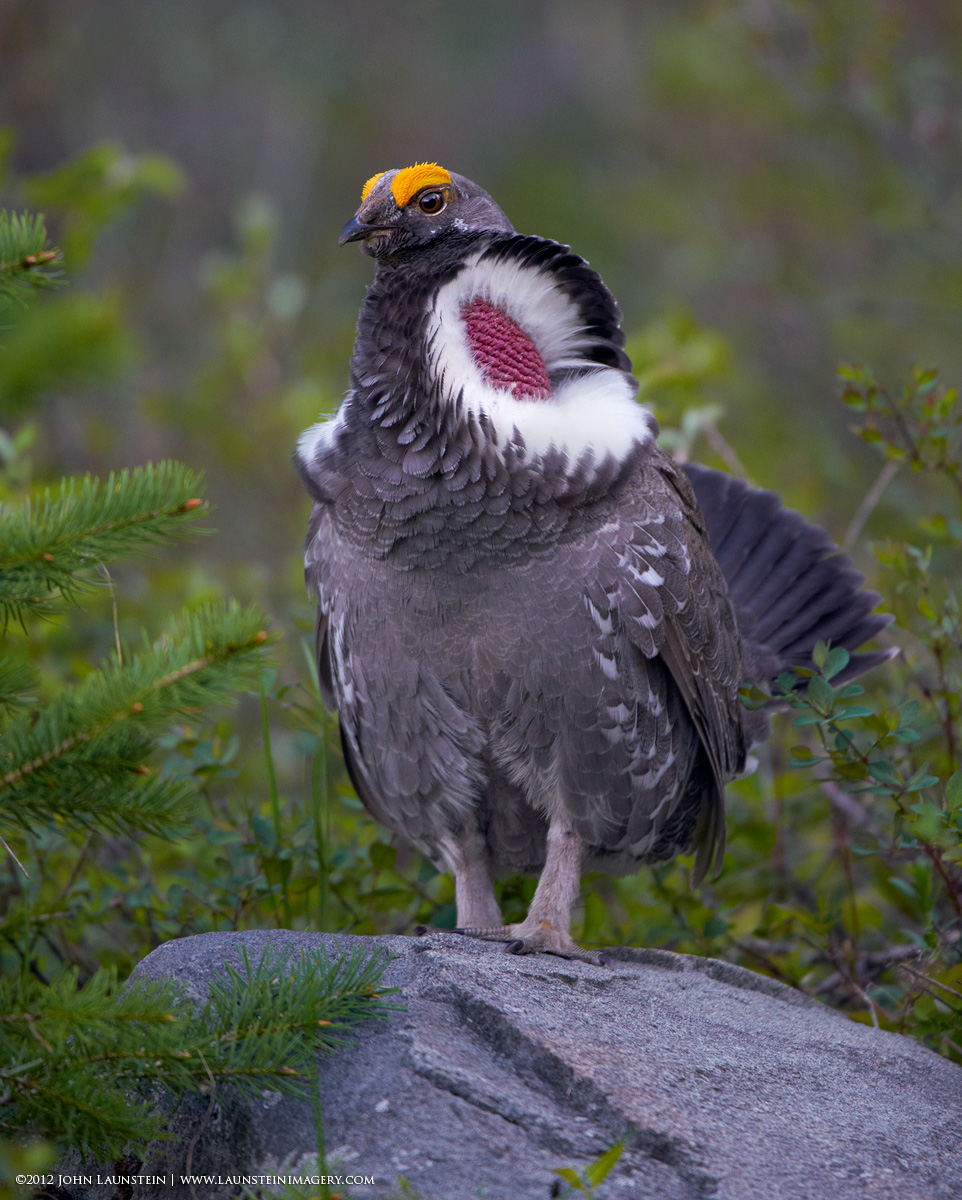
Jenaya and I found this male dusky grouse proudly courting a female a couple years ago now, and he afforded me ample opportunity to get everything right. I dialed in my negative compensation both to reflect the darker scene and hold the highlights, I checked the histograms and LCD, and thought I had it...but in the end I was close but not quite. The whites escaped me and a few too many pixels slid off the end of the dynamic range of my D7000 at this ISO. Hey--he was drumming pretty good at the time so I can always say I simply got some nice motion blur (in fact, there's a legitimate chance that's part of my problem here).
I processed a few images anyway but never posted them at the time, still feeling the pain of coming so close but not quite hitting it. However, Josiah and I have been thoroughly enjoying photographing grouse this summer and while I try and get a few of the resulting images processed, I thought I'd share this one, even if it's not quite perfect.
As an aside, I gotta tell you that photographing any wildlife subject in open evening shade on the east-facing side of the Rockies can absolutely shock you on what you have to do to retain highlight detail. There are many times we've had to underexpose the image by a stop or more to keep the upward-facing light muzzles of bighorn sheep from blowing out, or the white chests of a fox family. I shoulda known better.
Thanks in advance for any comments or suggestions...maybe I'll have another go at a few images from this experience sometime down the road and see if I can milk a little more detail out of the whites.
Nikon D7000
Nikkor AF-S 200-400mm f/4 IF-ED VR @ 380mm
ISO 640
1/250sec @ f/5
-1 EV
monopod
almost completely full frame (just cropped a bit off the top and bottom for better balance)

Comments
9 commentslovely image.
TFS
Steve
I think this is a very nice image. The whites look pretty darn good to me. Tough exposure situation handled well.
I too am seeing a blue cast to the image. Most likely from the shadowed light. I usually try this as a first effort:
Create a Hue Saturation Adjustment layer. Set the blending mode to Saturation, from the drop down that defaults to "Master", select blues. Then use the Saturation slider to desaturate to taste. That will remove the blue shadow color cast that I'm seeing. Excellent image. Hope those comments are helpful.
PS. many thanks for your more than generous comments