Nature Photographers Network
This is the preserved archive of the original Nature Photographers Network. The community continues at naturephotographers.network.
Daffodils
‹ PreviousFlora GalleryNext ›

Daffodils

by Dennis Plank

Gallery: FloraPosted April 17, 201450 views6 comments
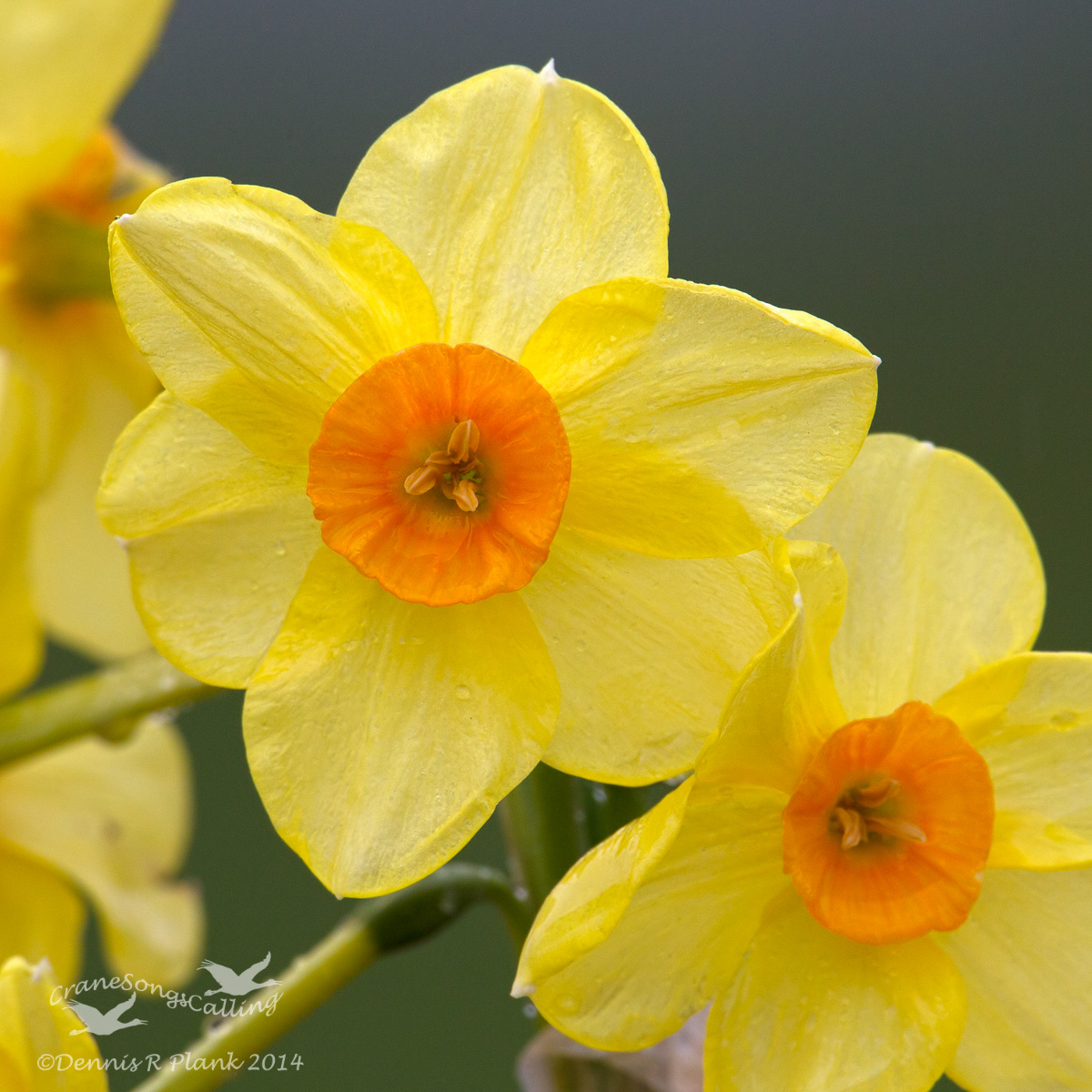
I went out this afternoon in the rain to see what I could make of it. Oddly enough, after processing, this daffodil looks downright sunny. Just wanted to do a bit of highlight adjustment to bring out the texture in the petals, but PS must automatically adjust the exposure or something, because it immediately went from rainy day dull to sunny. Since I liked it, I left it alone, but wish I knew exactly what they were doing with that adjustment.

1Div, 500 mm f4 ISL (I went out looking for Goldfinches singing in the rain, but no luck there), tripod, f13, 1/250, iso 500, -2/3 stop compensation. Processed in LR5 & CS6. Cropped to square and then a bit more. The oof blossoms were all to the left of the subjects and made it look unbalanced, so I cropped up from the LRC into the second blossom to change the composition and emphasize the main flower instead of the pair. I'd be interested in knowing how you think it worked.

Your comments are always appreciated.

Thanks for looking,

Comments

6 comments
Comment posted by Michael Lowe on April 18, 2014 at 7:10 PM
Works for me, Dennis. Nice diagonal composition. Wish I could help out on the PS, but my skills are limited.
Registered on February 11, 2004, 777 Posts, 5252 Comments
Comment posted by Allen Brooks on April 18, 2014 at 9:50 PM
Nicely composed. Good detail and background.
Registered on July 27, 2011, 262 Posts, 2597 Comments
Comment posted by Mark Seaver on April 19, 2014 at 7:24 PM
The focus on the main bloom works well, with good dof. The angled view is also good. Are you processing RAW files in LR or PS? If so, then you must be applying a preset treatment rather than using the default settings. If you use LR check the Library module to be sure that under the Quick Develop Menu you're using the Default settings. Also click the Reset All button at the bottom of the Tone control menu. (In LR4, you can have auto tone set and the button isn't highlighted, but it dramatically changes the image.)
Registered on January 23, 2011, 1103 Posts, 17270 Comments
Comment posted by Ian Wolfenden on April 20, 2014 at 7:10 AM
Must admit I find these very difficult to shoot ( all that yellow !! ) but this is very inspiring, Dennis. Superb control of colour and texture in a very nicely balanced composition.
Registered on May 18, 2007, 1108 Posts, 7647 Comments
Comment posted by Albert Darmo on April 21, 2014 at 11:05 PM
Hi Dennis :wavey: Stunning detail and color!! beautifully captured :toast:

Albert Darmo
Canada
Registered on November 25, 2008, 1386 Posts, 11978 Comments
Comment posted by Howard Cheek on April 28, 2014 at 10:06 AM
Lovely light, colors, and nice sharp focus on the main attraction.
And most attractive it is! :toast:
Registered on July 24, 2008, 1201 Posts, 10758 Comments