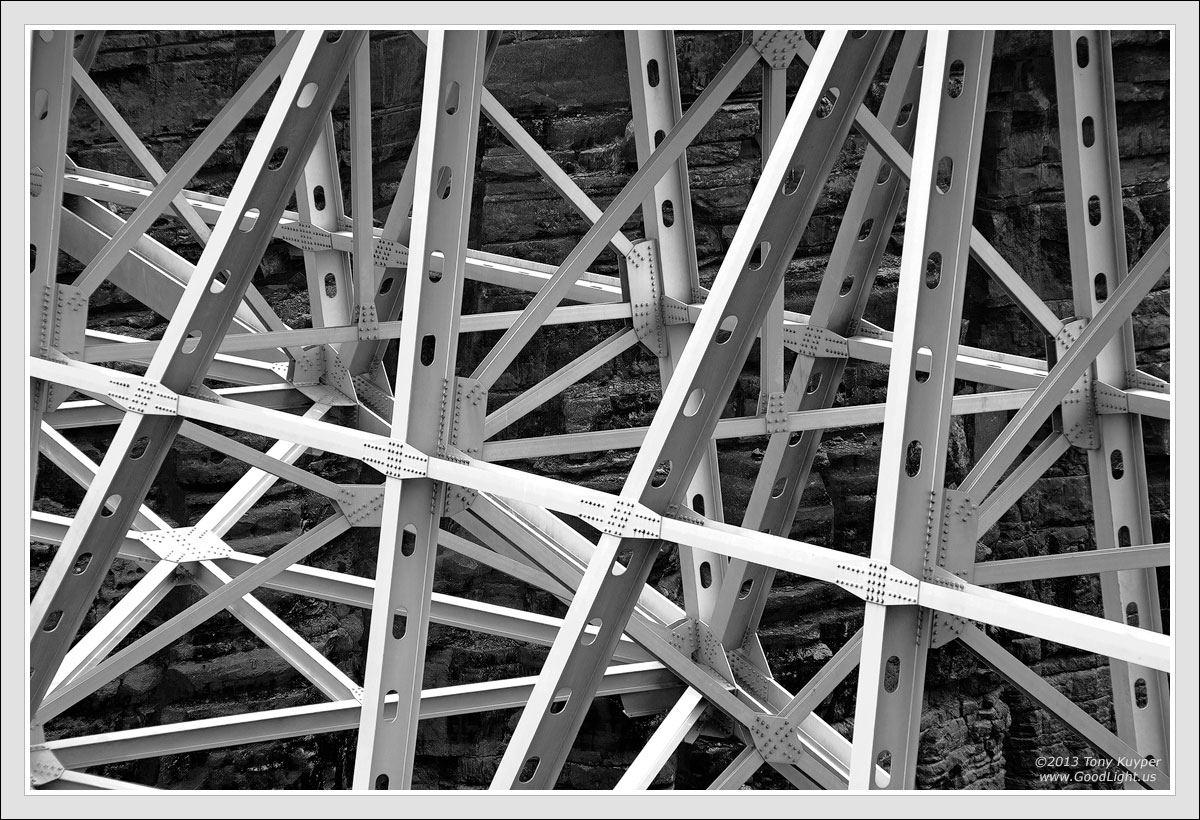
The new Navajo Bridge was completed in 1995. It spans the Colorado River Canyon (which soon becomes Grand Canyon) on Highway 89A just south of Lees Ferry. The arch of the bridge spans 720 feet. The river is 470 feet below. More information about the bridge can be found
here. While I took several versions of the bridge, I liked this tight shot best as it shows the complex structure needed to make the overall elegant bridge possible.
There is an interpretive center on the west side of the bridge where both the old and new bridges can be viewed. This image was taken from there in January this year. An inversion layer had formed with clouds hanging just above the area around Lees Ferry. The lack of harsh shadows created a soft light that allowed the natural and man-made elements to be distinct without harsh shadows.
I do so little black and white that I'm sure I wasn't consciously thinking about it when I took the picture, but the ACR work indicated there were possibilities. Still (because I do so little black and white) I was unsure how to proceed. Fortunately I had a copy of Guy Tal's
Creative B&W Processing Techniques. I read it today. It's an excellent guide for thinking about B&W and then processing to achieve specific goals. It absolutely made this image possible. My biggest hurdle before I read the book was getting past the original colors. The somewhat light-toned, warm-colored sandstone had to be dark to provide better contrast with the bridge's girders. The simplified steps to do this as described in the book are:
1) A colored RAW conversion that ended up being slightly yellow-green.
2) A B&W adjustment layer (in this case coupled with an intervening Exposure adjustment layer) to create a slightly flat black and white conversion.
3) Photoshop processing to provide the finishing touches.
The book helped me understand how any color can be converted to any tone (light or dark), and once this concept sank in, the actual Photoshopping went pretty quickly.
Your thoughts and recommendations, would, as always, be helpful.
5D2, 28-300 @ 200, f/16, 1/125 sec. Five images focus-blended in Helicon Focus. Complete Photoshopping is at the bottom of
this page.

Comments
8 commentsThis is a pretty darn good shot, but since i know you're a perfectionist ill offer you one nit: the extreme left side is a little tense since ideally you need a bit more on the lhs to balance the girder on the extreme rhs. Since i'm assuming that extra real estate doesn't exist, my advice would be to crop somewhere between the '2' and the 'T' in your copyright and that gets rid of the unnecessary tension IMO.
Nick Bristol
Lone Rock, WI