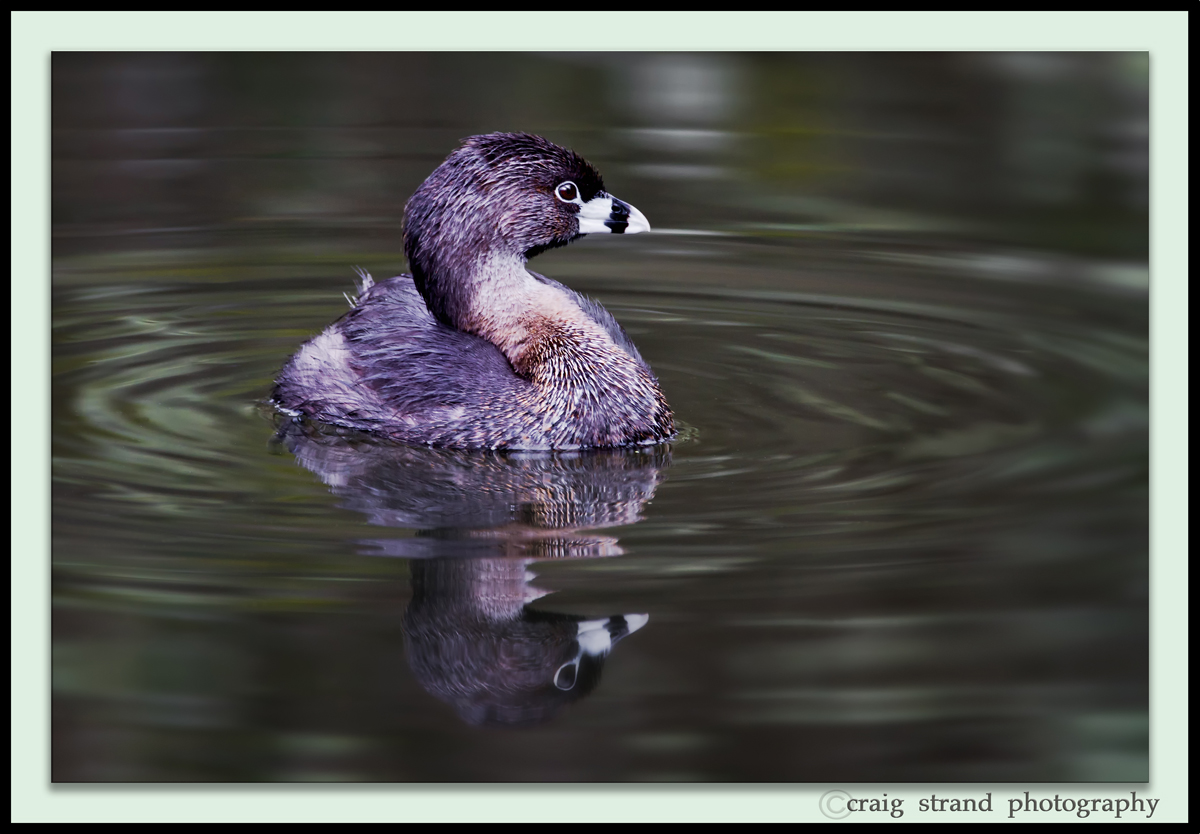
Pied Billed Grebe with REPOST
by Craig Strand
Your help please, I captured this pied-billed grebe yesterday at the refuge. Early morning and very low light in the slough where he was. In processing this it appeared the grebe had too much of a blueish cast. I should include that I have a color blindness problem that normally effects only the green and reds, if effecting things at all. My processed grebe seemed to me to be way too blue so I desaturated the blues, almost to the point of none at all but that didn't look natural either. Now I'm thinking it's all the greens in the water that's throwing me off. What do YOU think? If your familiar with the pied grebes does this look OK or what do you suggest? Thanks in advance for your help.
Larger version available
canon 7D
canon 600mm f4.L IS USM
F/8 1/45 ISO 500
auto window beanbag rest, CS5, LR3, NIKs suite

Comments
9 commentsNice photo, by the way.
If the slough was in the shade then tihs is most likely just a white balance issue and using the temperature slider in raw conversion will take care of most of the problem.
I really appreciate those that have identified the color cast and problem with this image. Try and imagine being color blind if your not, usually colors appear fairly true and normal looking BUT you can get those times when say a green hue is part of or next to another color and you see it abnormally. As with this image, I have shot many PB Grebes over the years but I could see what appeared as a overly saturated blue cast. Since I sometimes also have trouble with the reds, I couldn't see and would not have identified a magenta cast.
Special thanks to Richard Ditch as for me identifying the color discrepancy is one thing.... knowing what to do to correct it is another whole ball game. Richard I did as you suggested adjusting the color temp in the raw conversion from 4950 (original) up to 5600 and that made a very big improvement, at least for me and a more natural looking grebe.
This is another reason why I enjoy being a member of the NPN group, their are lots of professionals available to bail out your boat when your sinking. Regards, Craig
BEFORE PROCESSING IMAGE
The temperature shift has helped with the color cast. I think you could go a bit farther with the temp increase.
I think this is a difficult shot to color correct, and it reminds me of some of the problems I've had with Abert's Towhees on the ground where the color of the subject is very close to the color of the field. That makes it more difficult to get the color right, at least for me. Your original raw version shows there's not a lot of difference between the grebe and the water.
Another approach to try when you suspect the color is off but just can't figure out how is to use the special eyedropper in ACR (it might be labeled "white point") and click it on something that should be neutral in the image. Perhaps the bright park of the beak or the eyering if it is wide enough. That will shift both the temp and the tint sliders. Or even try one of the white balance presets to see if that works better.