Canon EOS 7D, EF 70-200mm f/2.8L IS USM MK II, Aperture Priority @ f/5.6 (1/160 sec), -2/3 EV, ISO 640, Handheld, JPEG from RAW, About 70% of Full Frame
This is actually a photo I posted up back in April, but it's one I like so much I decided to rework it again recently in post-processing from scratch, and happy as I am with the result I thought it worthy of a repost here.
You can see the original post by way of this link:
http://www.naturephotographers.net/imagecritique/ic.cgi?a=vp&pr=170739&CGISESSID=bc7784928fe02b080f158a038e34e269&u=258989
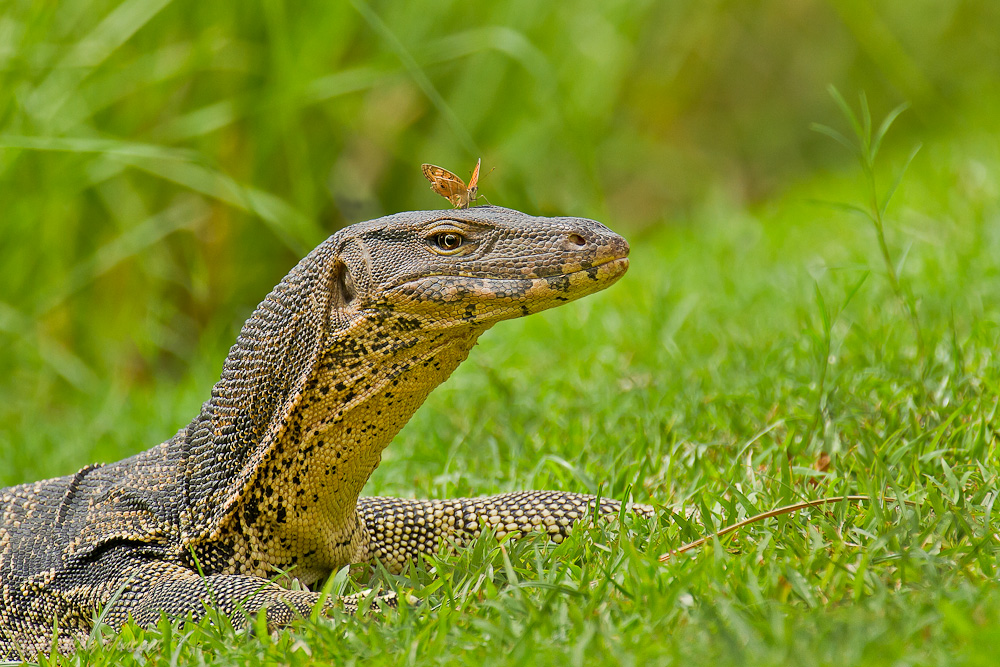
Aside from toning down the highlights, better use of sharpening as well as a few other tweaks, the one thing I decided to leave alone this time from the original frame was the strand of dry grass laying in front of the Water Monitor - rather than clone it out as I had done previously - as I feel it adds a little more balance to the image as a whole.
Any thoughts or opinions on this version would be greatly appreciated, and thanks in advance!
P.S. I think you'll find the larger version all the more impressive, if you can spare a moment to look!

Comments
7 commentsThe butterfly (Fabio's insect steak!) adds a lot of interest to this image. Detail looks very good in this image and I do quite like the colour palette here...
I have no problem with the piece of dry grass in front of the lizard (and, to be honest, it's the sort of thing where I wonder why the heck anyone would want to clone that out??). And, some more honesty - neither the piece of dry grass in front of the monitor or the piece of grass near the upper right corner are nearly as distracting as the OOF grasses behind the lizard. This isn't to say the background grasses are a deal-breaker by any means, but they DID pull my eye a lot more than the other pieces of grasses mentioned above (and which didn't affect my eye flow at all).
Cheers...
Brad
Brad: I completely agree that the lighter strands of grass in the background, in the LH quadrant of the frame, do indeed immediately draw attention to themselves, particularly the one curving downward that meets with the crown of the Monitor's head. I did in fact attempt to tone those lighter parts down, but couldn't accomplish this in a way that left things looking natural.
Two methods I tried were, 1. Selective decreasing of brightness, and 2. Careful use of the Burn tool set at 10%.
Neither method resulted in something pleasing to my eye, and here's an example of the effect that the Burn tool created. While I do find the Burn tool useful at times, in a situation like this I just can't seem to acquire a seamless transition between the lightest and darkest areas where I'm trying to decrease the impact of both, if that makes any sense.
If you or anyone else here has any ideas to share on this I'd be very grateful.
Tonia: As it happens, the title I made when I first posted this up back in April was in fact "Beauty and The Beast" - great minds think alike ;^)
Paul: Appreciate your suggestion about desaturating the grass a tad, the colour of which is indeed quite vivid, however, this is very much how I recall the scene at the time, and seeing as how to my eye it doesn't seem to overwhelm the primary subjects but actually enhances the frame as a whole, I like the level of contrast as is. Of course this kind of this is subjective though!