Gallery: AvianPosted June 14, 201160 views9 comments
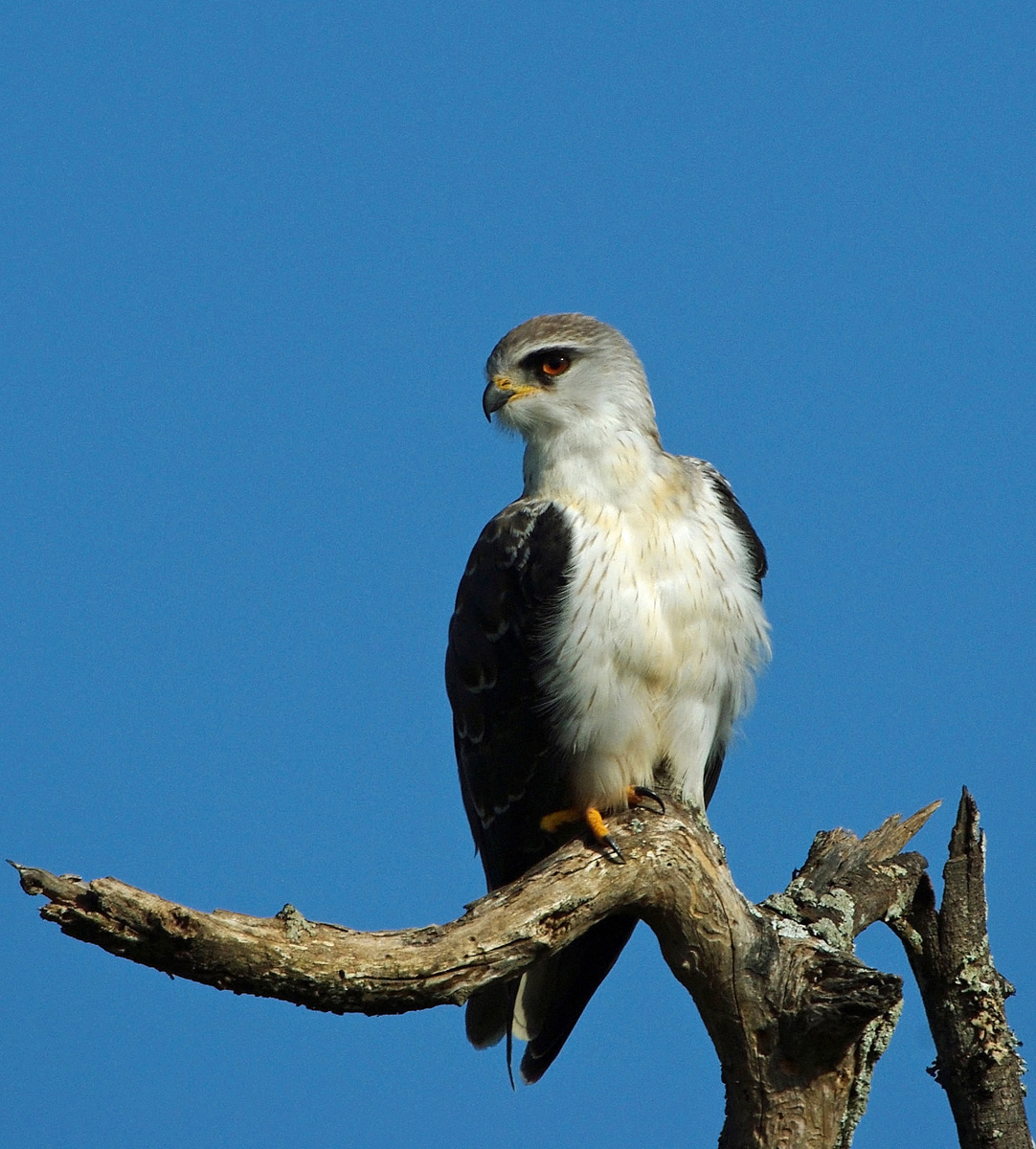
Immature Black-shouldered Kite
Pentax K200D, Sigma 50-500mm @500mm
1/1500 sec, f9.5, ISO 200
Supported on bean bag
Basic editing for sharpness and contrast
Cropped to about 65%
Comments
9 comments
Comment posted by Philip Hodgkins on June 14, 2011 at 4:10 PM
I like the pose, perch and eye contact of this beautiful Kite. I feel some selective levels or brightness work on the sky and black shoulders (and maybe some NR on the over-saturated sky) would really bring this picture up a notch.
Registered on July 24, 2006, 2741 Posts, 12349 Comments
Comment posted by Morkel Erasmus on June 14, 2011 at 4:24 PM
nice pose here Nico...I think the image could benefit from some noise reduction on the background and some opening up of the shadow areas as they are quite dark. I would also crop tighter from the top and RHS.
Registered on March 22, 2011, 385 Posts, 2068 Comments
Comment posted by David Sparks on June 14, 2011 at 5:29 PM
I really like the pose with the color of the iris showing along with the catch light. Excellent exposure on the whites but with an attendant lack of detail in the dark wings. It may be possible to bring out some detail. I also suggest a little noise reduction selectively applied to the blue sky. Nits aside, I'm envious of this shot of the Black-shouldered Kite.
Registered on May 26, 2007, 290 Posts, 4270 Comments
Comment posted by Nico Henning on June 15, 2011 at 12:49 AM
Thanks for the comments everyone! I did notice the noise in the blue sky, but I would appreciate advice on how to tackle the problem. I currrently use Photoshop Elements 8 for my post production, but although I find it OK for other aspects, it seems to be ineffective with noise reduction. That was also the reason why I kept the dark areas as they were, since when I tried to open them up a bit, they appeared quite noisy. Any advise on a better way to tackle the colour noise in the background please?
Nico
Registered on December 6, 2010, 12 Posts, 9 Comments
Comment posted by Cheryl Molennor on June 15, 2011 at 9:25 AM
Gorgeous bird, great eye contact. I would suggest a little noise reduction if you haveit. I use Imagenomic Noisepro and love it.
Registered on June 30, 2009, 300 Posts, 5051 Comments
Comment posted by Nico Henning on June 15, 2011 at 9:31 AM
Thanks for the comment and advice Cheryl, I will give it a try!
Registered on December 6, 2010, 12 Posts, 9 Comments
Comment posted by Nico Henning on June 15, 2011 at 4:57 PM
Here's a repost of the shot, with the suggested work on the background noise and a slight lightening of the shadow areas. I've used the software suggested by Cheryl for the noise reduction, and I could see that its quite effective. Thnaks for the advice.
Nico
Registered on December 6, 2010, 12 Posts, 9 Comments
Comment posted by David Sparks on June 15, 2011 at 6:17 PM
Nico:
The noise reduction worked well in the BG. But now you have a halo around the bird's right wing and it is also noticeable around the perch. The additional detail in the darks helps IMO. I've never used Elements, so don't know how to advise you on that. About the halo - if I were making brightness or exposure adjustment on just the bird, I would do my best job of selecting the bird and then refine the edge so that the selected area is a little smaller than the actual bird. In photoshop you can feather this so that the adjustment does not produce a halo. It takes practice, but this image is worth the work.
Registered on May 26, 2007, 290 Posts, 4270 Comments
Comment posted by SandyRichardsBrown on June 16, 2011 at 1:22 AM
I believe these are called white-tailed kite now. Not sure why the change.
Really nice catch! Good pose and good head-turn. Pretty good detail, but you have lost some in the whites and a lot in the blacks. the re-post is much better - good work! easy to work on the halo.
I'd use some levels adjustment on that great eye too, to make it pop - .
Nice!
Sandy
Registered on November 24, 2003, 3937 Posts, 12909 Comments

Comments
9 commentsNico
Nico
The noise reduction worked well in the BG. But now you have a halo around the bird's right wing and it is also noticeable around the perch. The additional detail in the darks helps IMO. I've never used Elements, so don't know how to advise you on that. About the halo - if I were making brightness or exposure adjustment on just the bird, I would do my best job of selecting the bird and then refine the edge so that the selected area is a little smaller than the actual bird. In photoshop you can feather this so that the adjustment does not produce a halo. It takes practice, but this image is worth the work.
Really nice catch! Good pose and good head-turn. Pretty good detail, but you have lost some in the whites and a lot in the blacks. the re-post is much better - good work! easy to work on the halo.
I'd use some levels adjustment on that great eye too, to make it pop - .
Nice!
Sandy