Thanks for the comments on my
last stacking exercise. Pat raised the issue about using helicon and Ram about diffraction blur and so I revisited stacking to address these.
All three images are processed in the similar way.
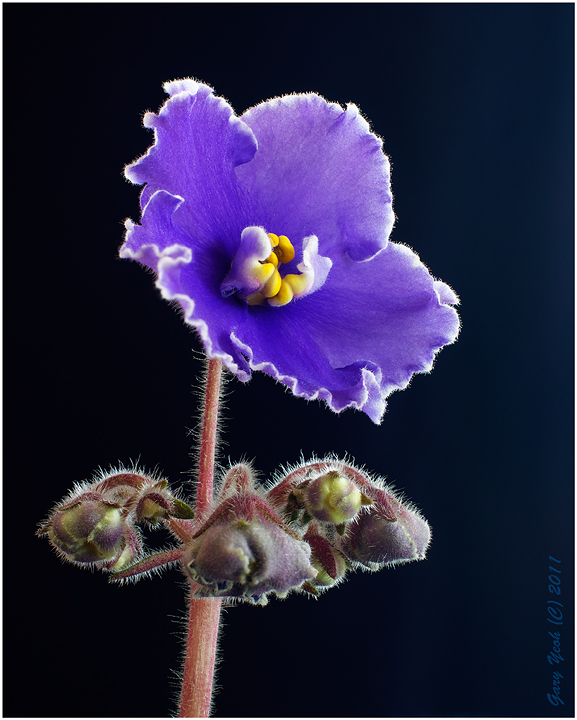
The first is a stack of 7 images using Helicon. The color tone is different to the other two possibly due to the raw convertor used in Helicon. The other two images are processed using ACR and more in line with the natural color. All images taken with D90 50mmF1.4G lens. Stack images taken at F8.
Summary of my assessment:
1) Helicon focussed image is the sharpest of the three. The program is very easy to use and fast. However I am not sure about the raw converter so perhaps using a JPEG image instead of raw might be better?? I have not investigated the raw conversion issue in depth; I just download a trial Helicon version yesterday and have not looked into the raw conversion at all.
2) PS autoblend stacking in CS5 gives the worst sharpness compared with Helicon and F16 single image. This confirms Pat's comment Helicon focus is better than PS.
3) There is definite diffraction blur in F16 image compared with both stacked images. The details in the petals away from the anthers are noticeably less sharp in F16. So I can confirmed that Ram's observation of diffraction blur is valid.
4) CZM, a free stacking program gives similar sharpness to Helicon but suffers from slow performance and limited to 8-bit JPEG images only.
5) Type of lenses can obviously affect the sharpness. The previous exercise was taken using the macro 105 which is one of the sharpest lens available and so the F32 using this lens is still quite good. The current series is taken with the 50mm lens which has a maximum aperture of F16 which is also the level which Ram could discern diffraction blur. Therefore, stacking is more useful if the lens used is not the sharpest.
6) If you are serious about stacking or do a lot of them, Helicon is hard to beat.
This is not an objective test but rather a subjective eye-balling exercise at 100% on my iMac. So I imagine others might interprete the result differently so it would be interesting to hear how other assess these 3 compressed images.
Image 1: Helicon focus stack of 7 images

Comments
12 commentsI prefer the first but part of that may be that it seems darker and a little richer color wise. I do think that the quality of the texture is best in the first image and that makes it more interesting to me. Helicon, when the technique is good, the subject is still and the dynamic range is flat through the stack, is just hard to beat. Then, since the stack reduces noise you could sharpen the image more as well.
By the way, this is a really fine image for my tastes as well. Great light, technique and presentation.
pat
Bob
I honestly don't know if Helicon's RAW converter is kicking in when I use the program. I convert everything to DNG in Lightroom and then import into Helicon which then spits out a stacked Tiff. I then do my processing, in LR, on that Tiff. I haven't noticed any color shifts when using the program.
All I do know is that Helicon has completely changed the way I approach macro....I also use it occasionally in landscapes (which I don't shoot much anymore).
BTW, nice image.....as always.
Albert Darmo. Canada
I also prefer #1.
Guess I'll have to try stacking one of these days, although I just hate the thought of even more time spent processing of images...argh...
Sandy
That's just not true Bill. The diffraction issue is caused by the size of the aperture opening and the physics of light. Even an absolutely perfect theoretical lens suffers diffraction effects. Now a good lens will avoid other effects, like field curvature and chromatic aberration, which can also cause a lack of sharpness. But the diffraction effect is not avoided no matter which lens you have.