Gallery: Photo ArtPosted October 28, 2010116 views9 comments
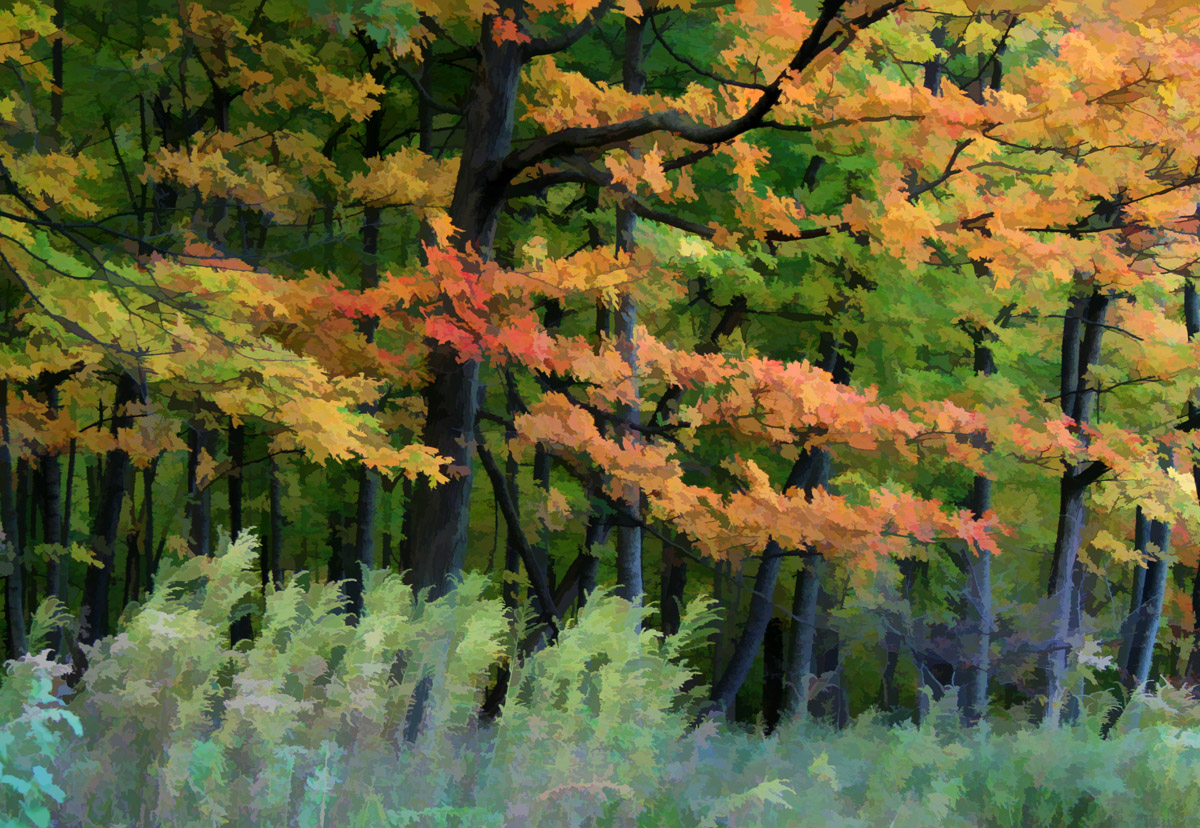
I used Topaz Simplify for a painterly effect.
All comments welcome and appreciated.
Comments
9 comments
Comment posted by denise ippolito on October 28, 2010 at 9:15 PM
Barb, I love the Topaz Simplify for leaves. This is really nice w/ the sweeping look to the branches and grasses.
Registered on December 17, 2009, 202 Posts, 1529 Comments
Comment posted by David W. Kelly on October 29, 2010 at 4:49 PM
Beautiful Barb. I love the effect.
Registered on October 7, 2005, 883 Posts, 6590 Comments
Comment posted by Marc Ward on October 29, 2010 at 8:52 PM
Barb,
Lovely colors and a very nice sense of air movement. I agree with Faniola... I might darken the bottom a bit. If you have Photoshop, I would use the burn tool set at about 5-7% and slowling move back and forth across the bottom with a large (300 px) brush to darken and help create a "bottom" to the image. The greens, yellows, and reds work very well together.
Registered on February 26, 2009, 304 Posts, 1365 Comments
Comment posted by Barb Pflaum on October 30, 2010 at 2:59 PM
Thank you, everyone, for your comments and suggestions. I am using Elements 6 right now, which doesn't have a burn tool, so I wasn't able to do what Marc suggested. So I used the graduated neutral density filter in Color Efex Pro to try to get do the same thing. This probably still needs some work, but maybe I'm on the right track.
Registered on January 14, 2009, 316 Posts, 2724 Comments
Comment posted by beth summer on October 30, 2010 at 3:55 PM
Barb, Elements 6 does have a burn tool. It's your dodge/smear/burn tool down on the left in the tools area. The Nik effect is good and good use of your software. If you're like me, I'm just beginning to learn all my different, funky filters etc from PSE 6 as well as Nik. I'm learning everyday from the pros in the Photo Art gallery. Anyway, this is very nice. I like the colors and the comp.
Registered on November 1, 2003, 437 Posts, 5220 Comments
Comment posted by Barb Pflaum on October 30, 2010 at 5:06 PM
Thank you, Beth, for the info. I had heard somewhere that Elements 6 didn't have dodge and burn, so I didn't even look for it. I'm just beginning to learn too.
Registered on January 14, 2009, 316 Posts, 2724 Comments
Comment posted by Barb Pflaum on October 30, 2010 at 5:18 PM
Here is another version using Marc's advice with the burn tool.
Registered on January 14, 2009, 316 Posts, 2724 Comments
Comment posted by Doug Gilham on November 1, 2010 at 7:25 PM
Great colors you've captured here Barb, and nice use of filters. Both reposts are better IMO, but think the GND filter one looks a bit better. Love the branches and tree trunks in this as well.
Registered on September 20, 2009, 77 Posts, 489 Comments
Comment posted by Catherine Reilly on November 3, 2010 at 3:17 AM
Wonderful! And the repost is even more wonderful! Great advice from forum frequenters, I learned from all of you. Thanks.
Registered on August 16, 2006, 603 Posts, 9192 Comments

Comments
9 commentsLovely colors and a very nice sense of air movement. I agree with Faniola... I might darken the bottom a bit. If you have Photoshop, I would use the burn tool set at about 5-7% and slowling move back and forth across the bottom with a large (300 px) brush to darken and help create a "bottom" to the image. The greens, yellows, and reds work very well together.