Gallery: Weekly ChallengePosted February 12, 2009479 views4 comments
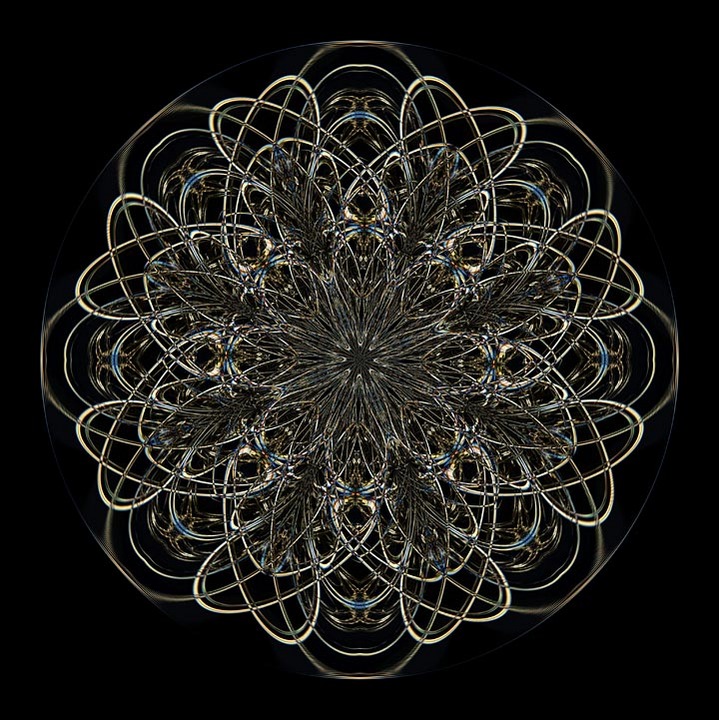
Playing around tonight, I was surprised to see these hearts emerge from the twisting lines.
Comments
4 comments
Comment posted by Carol Hyman on February 13, 2009 at 2:24 PM
This looks like a beautiful wire sculpture, Rob. One thing troubles me and that's the straight line at the outside edge of every other loop. I find it very distracting from what otherwise is a great image.
Carol
Registered on January 18, 2007, 597 Posts, 8062 Comments
Comment posted by Gary Minish on February 14, 2009 at 3:16 PM
Fascinating, Rob! Love rising from chaotic symmetry I'd like to hear how it was created.
Registered on February 4, 2006, 625 Posts, 3583 Comments
Comment posted by Rob Graham on February 15, 2009 at 6:25 PM
Thanks folks.
Carol, the line actually extends clear around the image. However, looking back at it, I can see where it can be a distraction. I suspect it will be a lot of work to remove it, but it might be worth it.
Gary, there really aren't that many different steps to making these designs. http://gallery.heartland-images.com/TwistedIce shows the original image I started with. I then use polar coordinates, mirror images, and selective cropping. For the complex images like this one, I duplicate a layer, set it to "difference", then rotate it into position. Repeat as needed; figuring out when to stop is tough sometimes :).
Registered on August 22, 2006, 842 Posts, 2824 Comments
Comment posted by Stan Rose on February 16, 2009 at 3:57 PM
Showoff!
Registered on September 15, 2005, 836 Posts, 17099 Comments

Comments
4 commentsCarol
Carol, the line actually extends clear around the image. However, looking back at it, I can see where it can be a distraction. I suspect it will be a lot of work to remove it, but it might be worth it.
Gary, there really aren't that many different steps to making these designs. http://gallery.heartland-images.com/TwistedIce shows the original image I started with. I then use polar coordinates, mirror images, and selective cropping. For the complex images like this one, I duplicate a layer, set it to "difference", then rotate it into position. Repeat as needed; figuring out when to stop is tough sometimes :).